How to Recover and Secure a Facebook Account After a Hack
This guide helps you regain control and secure your Facebook account after it has been hacked.

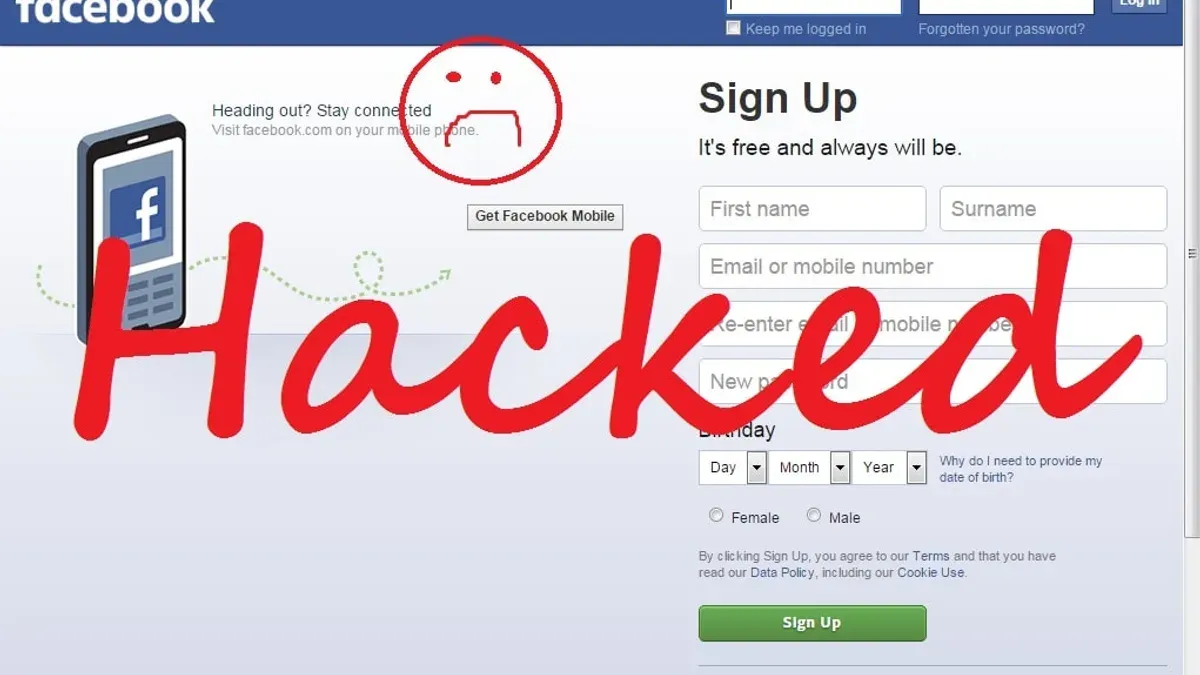
This article explains how to regain control and enhance security after a Facebook account hacked incident. When Facebook accounts are compromised, users face choices between different recovery methods, each with security implications and realistic limitations set by Facebook's support system.
A hacked Facebook account often means unauthorized access that can lead to password changes, locked profiles, or suspicious activity notifications. Understanding the signs and the process to recover access helps users make informed decisions about which steps to take and what security measures to implement afterward.
Recovery options vary depending on whether the account is locked, disabled, or if the password has been changed. Facebook’s automated tools and identity verification steps come with trade-offs, such as temporary access delays or restrictions on certain actions. This guide outlines these factors clearly to help users navigate the process effectively.
What happens if a Facebook account is hacked
When a Facebook account is hacked, unauthorized individuals gain access to personal information including messages, posts, photos, and contact lists. This access allows hackers to impersonate the account owner, often sending scam messages to friends or posting misleading content. Such misuse can cause embarrassment, confusion, and loss of trust among contacts.
Hackers frequently exploit compromised accounts to distribute spam or phishing links, increasing the risk to others connected to the account. Additionally, many users link Facebook to third-party apps or services, such as games, shopping platforms, or social media management tools. A hacked account can provide access to these linked services, potentially leading to further breaches or financial loss.
For example, if a hacker gains control and changes the account email and password, the original user may be locked out, while the hacker uses the profile to request money from friends or spread malware. This scenario not only damages the user's reputation but may also compromise the privacy of their social network.
Tip: Regularly reviewing connected apps and adjusting privacy settings can reduce exposure if an account is compromised.
How is my Facebook account hacked
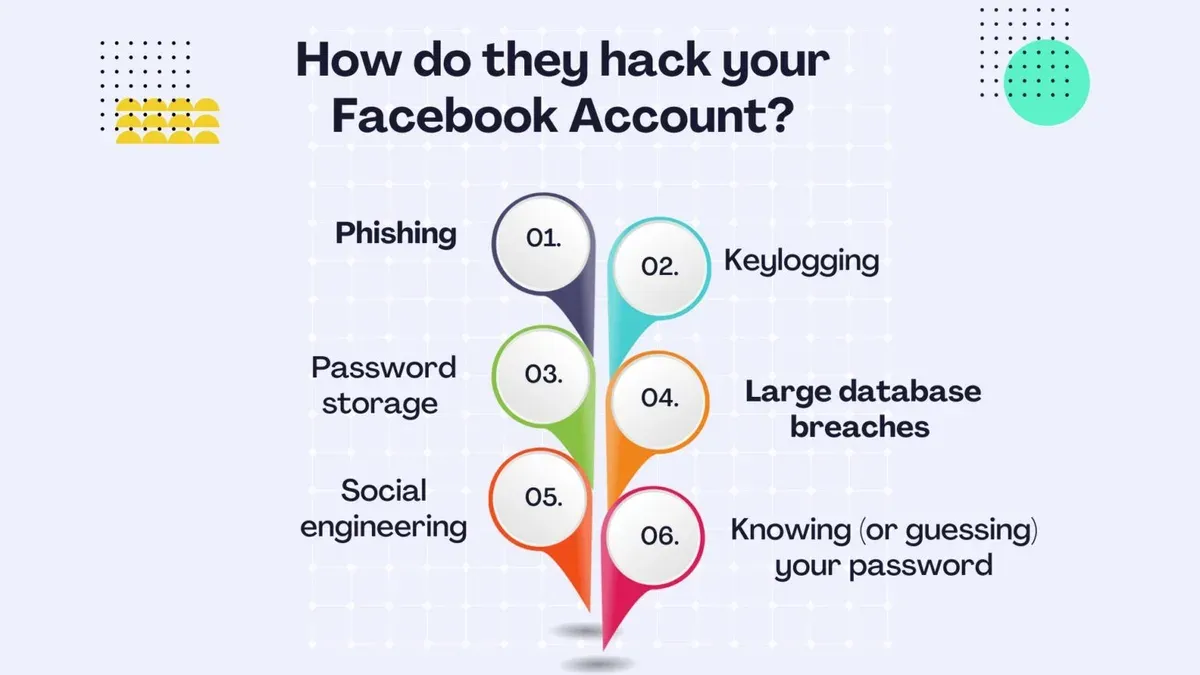
Facebook accounts are commonly compromised through phishing attacks, where users are tricked into entering their login credentials on fake login pages or responding to deceptive emails designed to look like legitimate Facebook communications. These phishing attempts often mimic official Facebook alerts about suspicious activity or account issues, prompting users to click links that lead to counterfeit sites capturing their passwords.
Password reuse across multiple sites also presents a major risk. Credential stuffing attacks involve hackers using login credentials obtained from data breaches on other platforms to access Facebook accounts. Since many users recycle passwords, attackers automate login attempts with breached email-password combinations, gaining entry if credentials match.
Malware and keyloggers installed on user devices can silently record keystrokes or capture session tokens, providing hackers direct access without needing passwords. This occurs when users download infected files or visit compromised websites.
Social engineering tactics target the Facebook account recovery process itself. For example, an attacker might impersonate the account owner to Facebook support or contacts, requesting password resets or identity verification. They may also exploit the 'Trusted Contacts' feature by convincing friends to share recovery codes.
Example: A user receives an urgent-looking email claiming their Facebook account was flagged for suspicious activity. The email directs them to a website nearly identical to Facebook’s login page. Entering their credentials there unknowingly hands them to attackers, who then change the password and lock the user out.
Tip: Always verify the URL of login pages and avoid clicking links in unsolicited emails claiming to be from Facebook.
How to know if your Facebook account is hacked
Recognizing that a Facebook account has been compromised usually starts with monitoring unusual activity. One reliable way is to check the Where You're Logged In section found under Settings & Privacy > Settings > Security and Login. This area lists recent login locations and devices; unfamiliar entries, such as a login from a different country or an unknown device, strongly indicate unauthorized access.
Changes to the account's fundamental details also serve as clear warning signs. If the registered email address or phone number has been altered without the user's knowledge, it often means the hacker is trying to block recovery attempts. Similarly, unexpected password changes should raise immediate concern.
Unexpected activity on the profile, including posts, friend requests, or messages that the user did not send, is another practical indicator. For example, receiving messages soliciting money or strange links from the account suggests it is under someone else's control.
Facebook also sends alerts directly to users in case of suspicious activity. These notifications can appear as login alerts via email or in the Facebook app, often specifying the device type and location involved. The alert might read, “We noticed a login from a new device,” accompanied by options to secure the account.
Tip: Regularly review the Security and Login settings to catch unauthorized access early and act promptly.
How Facebook account hacked and password changed — steps to recover access
When a Facebook account's password has been changed by a hacker, regaining access requires using alternative recovery methods beyond the usual login process. The first step is to visit the Facebook login page and click on the "Forgot Password?" link. Enter the email address or phone number associated with the account to trigger identity verification options.
If access to the registered email or phone is lost, Facebook offers the option to report the account as hacked by navigating to facebook.com/hacked. This tool guides users through steps such as confirming identity by answering security questions or recognizing recent login activity.
Users who previously set up Trusted Contacts can leverage this feature by requesting recovery codes from these friends, which can be entered to regain access. This method can speed up recovery but requires that trusted contacts are still reachable and willing to assist.
In cases where automated recovery fails, Facebook may request a government-issued ID for manual identity verification. This involves uploading a clear photo of an official document through the "Confirm Your Identity" section in the Help Center. Processing times vary but generally take a few days. While this method increases chances of recovery, it requires sharing sensitive personal information and is irreversible.
For example, a user whose password was changed and who lost access to their email tried the "Forgot Password?" tool but could not receive reset codes. They then reported the account as hacked, used Trusted Contacts to gather recovery codes, and successfully reset their password within 48 hours.
Tip: Enabling Trusted Contacts before an incident can significantly improve recovery success and speed.
How to recover a Facebook account hacked and locked or disabled
Facebook may lock or disable an account after detecting suspicious activity, such as unusual login locations or content violating community standards. This security measure aims to prevent further unauthorized use and protect both the account owner and other users.
To regain access, users typically need to submit an appeal through Facebook's Help Center or complete identity verification forms. These forms often request a government-issued ID and may include a selfie or additional information to confirm ownership. For example, someone whose account was disabled after suspected hacking might upload an ID via the "Report a Login Issue" page to verify their identity.
However, recovery is not guaranteed if Facebook determines the account violated terms of service, such as posting prohibited content or repeated policy breaches. In such cases, appeals are often denied, and the account remains disabled.
Response times vary, ranging from a few days to several weeks depending on the volume of requests and the complexity of the case. Effective communication includes providing accurate information, following Facebook's instructions precisely, and avoiding multiple simultaneous appeals, which can delay processing.
Tip: When submitting identification, ensure images are clear and all requested fields are completed to avoid delays.
How to secure a Facebook account after recovery
After regaining access to a hacked Facebook account, implementing robust security measures is essential to prevent future incidents. One of the most effective steps is enabling two-factor authentication (2FA), which can be found under Settings & Privacy > Settings > Security and Login > Use two-factor authentication. This adds a second layer of defense by requiring a code from an authentication app or SMS in addition to the password.
Reviewing privacy and security settings helps control what information is visible and who can access the account. Users should navigate to Privacy > Privacy Settings and Tools to adjust who can see posts, friend lists, and profile details. Additionally, the Security and Login section allows reviewing active sessions and devices, where suspicious logins can be logged out immediately.
Removing unknown or unnecessary third-party apps is a critical step often overlooked. Under Settings > Apps and Websites, users can see all connected apps and revoke access to those that are unfamiliar or no longer needed, reducing potential attack vectors.
Regularly updating the password with a strong, unique combination and avoiding reuse of credentials across platforms remains a fundamental practice. For example, after recovering an account, changing the password to something unrelated to previous passwords and not used elsewhere minimizes the risk of credential stuffing attacks.
Tip: Combining 2FA with periodic reviews of connected devices and apps significantly increases account security while balancing convenience and protection.
Common mistakes to avoid when your Facebook account is hacked
Delaying action after detecting suspicious activity often worsens the situation. For example, a user who noticed strange posts on their timeline but waited several days to respond risked the hacker further exploiting their account for scams targeting friends. Immediate steps limit unauthorized access and reduce potential damage.
Responding to phishing messages claiming to assist with account recovery is another frequent pitfall. Hackers commonly send fake emails or messages impersonating Facebook support, asking for login credentials or personal information. Engaging with these messages can lead to further compromise rather than recovery.
Using weak or recycled passwords during the recovery process undermines account security. Reusing passwords from other services or choosing simple passwords can allow hackers to regain access easily, especially if those credentials were involved in previous breaches.
Failing to inform friends or contacts about the hack leaves them vulnerable to scams originating from the compromised account. Hackers may impersonate the account owner to request money or sensitive information. Alerting contacts helps prevent these secondary attacks and maintains trust.
Example: After a hack, a user replaced their password with a variation of their old one and did not notify friends. The hacker continued sending fraudulent messages to the user’s contacts, resulting in multiple victims and a prolonged recovery process.
How to report a Facebook account hacked and contact Facebook support
When a Facebook account is compromised, reporting the issue promptly through official channels is essential. Facebook provides a dedicated Help Center page titled “Hacked and Fake Accounts” where users can access the “Report a Compromised Account” form. This form guides users step-by-step to verify identity and secure their account. The direct URL for this process is typically facebook.com/hacked, which initiates Facebook’s automated recovery workflow.
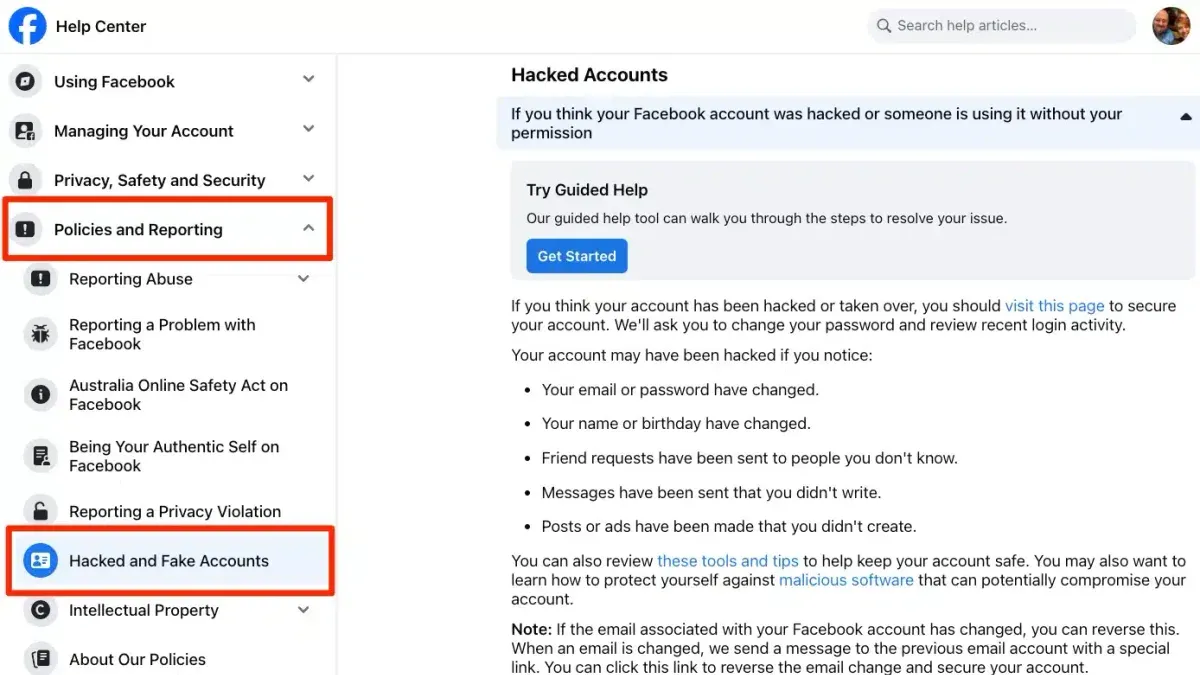
Facebook does not offer direct human support via phone or email for hacked accounts, which limits personalized assistance. Users often find that responses are automated and can take several days or longer, depending on the volume of requests. For example, a user reporting a hack through the Help Center might receive a confirmation email within a day but could wait weeks for a final resolution if identity verification is required.
Third-party resources such as community forums on Reddit or specialized Facebook user groups can provide practical advice and share experiences but do not have official authority or access to account recovery tools. In cases involving identity theft or financial loss, consulting a professional cybersecurity expert or legal advisor may be necessary to navigate complex recovery and protection steps.
Tip: Keep screenshots and records of all communication with Facebook and any suspicious activity to support recovery efforts if escalation is needed.
Further reading
- How to Identify, Recover, and Secure a Hacked Discord Account
- How to Secure and Manage a Bumble Account After a Hack
- What to Do When Your BeReal Account Is Hacked
- Step-by-Step Guide for What to Do When a WooCommerce Site Is Hacked
Frequently asked questions
How recover facebook account hacked?
To recover a hacked Facebook account, start by visiting the Facebook login page and selecting "Forgot Password?" to initiate the recovery process. Verify identity using options like email, phone number, or trusted contacts. If the password has been changed, use Facebook's identity verification steps, which may include submitting a government-issued ID. Recovery can be limited if hackers have altered all contact details.
How facebook account got hacked?
Facebook accounts can be hacked through phishing schemes, where users are tricked into providing login details on fake websites. Malware installed on devices or weak, reused passwords also create vulnerabilities. Additionally, using public Wi-Fi without protection or falling victim to social engineering can enable hackers to gain unauthorized access.
How is my fb account hacked?
Common hacking methods include phishing emails or messages that mimic Facebook communications to steal credentials. Hackers may also exploit third-party apps with excessive permissions or use brute force attacks on weak passwords. Sometimes, data breaches from other services can expose login details used for Facebook accounts.
How to recover facebook account hacked?
Recovery begins at the Facebook Help Center by selecting the compromised account option. Follow prompts to reset the password and review recent login activity. If locked out, use trusted contacts or submit identification through Facebook’s official forms. Users should prepare for limited support and possible delays during this process.
What happens if facebook account hacked?
Once hacked, unauthorized users can post content, send messages, or access personal information stored on the account. The hacker might also change the password and recovery options, making account recovery difficult. In some cases, the account could be disabled by Facebook for violating policies due to malicious activity.
Limits of this advice and when to seek professional help
This guide addresses typical scenarios of Facebook account hacking involving common user-level compromises, such as phishing, weak passwords, or unauthorized access through connected apps. It does not cover advanced targeted attacks like state-sponsored intrusions or cases where Facebook has permanently blocked access due to policy violations. Users facing these complex situations or legal concerns should consult cybersecurity professionals or legal advisors specializing in digital security and data privacy.
For most users, the single most effective next step after suspecting a hack is to immediately change the password through Facebook’s security settings, enable two-factor authentication, and review recent login activity to identify unauthorized access. Prompt action not only aids recovery but also mitigates further unauthorized use and enhances long-term account security.