How to Protect, Manage, and Recover a Threads Account from Hacking
This guide explains how to protect, manage, and recover a Threads account after hacking incidents while clarifying common security misconceptions.

This guide explains how to protect, manage, and recover a Threads account after hacking incidents while clarifying common misconceptions about the platform's security.
A Threads account links to Instagram credentials and allows users to share text-based posts and interact within the Threads app environment. Securing this account is essential because unauthorized access can lead to misuse, data loss, or damage to one's online presence. When a Threads account hacked situation occurs, timely action and understanding the platform’s security settings can significantly reduce harm.
Users should focus on creating accounts with strong authentication, locking settings to prevent unauthorized access, and knowing the recovery steps if hacking happens. This article covers these aspects and explains the limitations and best practices for ongoing security management on Threads.
What a Threads account is and why account security matters
Threads is a text-based social media platform created by Meta, designed to connect closely with Instagram accounts. Each Threads account is directly linked to a user’s Instagram profile, sharing the same username and profile information. This integration allows users to engage in conversations, share posts, and build social interactions within a familiar ecosystem.
Threads accounts store various types of personal data, including profile details, messages, followers, and content shared on the platform. Because of this, a compromised Threads account can lead to significant privacy breaches. For example, if an attacker gains access, they could impersonate the user, post unauthorized content, or access private conversations and follower lists, potentially damaging the user’s reputation or relationships.
Reported hacking incidents on Threads and similar platforms highlight risks such as account takeovers and identity theft. Consider a scenario where a user’s Threads account is hacked, and their attacker sends misleading messages to followers, causing confusion and trust issues. This real-world impact underlines the importance of securing Threads accounts to safeguard personal information and social connections.
Threads has rapidly gained users due to its integration with Instagram’s large community, making account security a critical concern for many. Ensuring a Threads account is protected helps maintain control over one’s digital presence and prevents the consequences of unauthorized access.
How to create a Threads account safely
Creating a Threads account starts by linking it to an existing Instagram profile through the Threads app or the integrated prompt within Instagram. After logging in with Instagram credentials, the account inherits the Instagram security settings. To ensure strong protection from the beginning, users should verify that their Instagram password is unique and complex, avoiding common or reused passwords.
Next, enabling two-factor authentication (2FA) on Instagram is essential. This can be done by navigating to Instagram Settings > Security > Two-Factor Authentication, then choosing a preferred method such as authentication apps or SMS codes. This extra layer requires a second verification step when logging in, significantly reducing hacking risks.
Users should also set up recovery options within Instagram to help regain access if locked out. This includes confirming the registered email address and phone number are current and accessible. Verifying these helps ensure password reset requests reach the rightful owner promptly.
For example, when Julia created her Threads account, she first updated her Instagram password to a strong, unique phrase, then activated 2FA using an authentication app. She double-checked that her recovery email and phone number were correct before proceeding. This approach minimized vulnerabilities during sign-up and laid a secure foundation.
Tip: Always review and update Instagram security settings before creating or linking a Threads account to maximize protection.
How to lock and secure a Threads account to prevent hacking
Enabling two-factor authentication (2FA) is a fundamental security step that adds a second verification layer beyond the password. On Instagram, which governs Threads access, this can be set via Settings > Security > Two-Factor Authentication. Activating 2FA significantly reduces hacking risk by requiring a code sent to a trusted device or authentication app, preventing access even if a password is compromised.
Regularly reviewing connected devices and active sessions is crucial. Users should check Settings > Security > Login Activity to view where their account is logged in. If unfamiliar devices or locations appear, immediate logout of those sessions helps prevent unauthorized access.
Setting up login alerts enables notifications when new devices or browsers access the account. This can be managed under Security > Emails from Instagram, which lists recent security emails and alerts. Promptly responding to these alerts can stop attacks early.
Phishing remains a common threat targeting Threads and Instagram users. Hackers often send deceptive messages or links mimicking official communications, asking for login credentials or permission to third-party apps. For example, a user might receive a direct message claiming to be from Instagram support, urging them to verify their account via a suspicious link. Avoid clicking such links and only grant app access through the official Instagram settings under Settings > Security > Apps and Websites.
Tip: Use an authentication app like Google Authenticator or Authy for 2FA instead of SMS, as it offers stronger protection against SIM swapping attacks.
What happens if a Threads account is hacked
Typical signs of a hacked Threads account include unexpected posts appearing on the profile, login alerts from unfamiliar devices, or sudden changes to the account's password and email address. Users often first notice unauthorized activity when friends report strange messages or posts that they did not create.
Once compromised, hackers can post content, send messages impersonating the user, or access private data linked to the account. Since Threads accounts are connected to Instagram, unauthorized access can extend risks to the linked Instagram profile, potentially exposing personal photos, contacts, and other sensitive information.
For example, a user might find that their Threads account suddenly posts promotional links or offensive messages without their consent. Meanwhile, the hacker could change the account credentials, locking the original owner out. This scenario not only affects the user's social presence but also risks damaging their reputation among followers.
Reports from users indicate that account takeovers often involve coordinated phishing attempts or reused passwords from other breaches. Such incidents highlight the importance of recognizing early warning signs and acting promptly to secure the account.
How to recover a hacked Threads account
If a Threads account is hacked, regaining control starts with resetting the password through Instagram, as Threads accounts are linked to Instagram credentials. Navigate to Instagram’s login page, select "Forgot password?", and follow the prompts using the associated email, phone number, or username. This often resolves access issues quickly if the recovery options remain unchanged.
When password reset is not possible due to altered recovery information, using Instagram’s Help Center is the next step. The "Report a hacked account" feature guides users through identity verification, which may include submitting a photo ID or confirming linked account details. Threads support can be contacted via the app or official help pages for additional assistance, though responses may vary in speed.
Once access is restored, check for suspicious third-party app permissions by visiting Instagram settings under "Security" > "Apps and Websites". Revoking any unfamiliar apps can prevent further unauthorized access. Restoring original account settings like profile information and privacy preferences is crucial to securing the account fully.
If impersonation or malicious posts occurred, notify followers through a clear post or story explaining the situation to mitigate reputational damage. An example recovery flow: a user locked out after a hack reset their Instagram password using email recovery, revoked unrecognized app access, updated two-factor authentication settings, and posted an update to followers. This approach typically results in successful recovery within days.
Official resources: Instagram Help Center’s hacked account page (help.instagram.com/368191326593075) and Threads support through the app’s help section.
Tip: Act quickly to reset passwords and report unauthorized activity to improve chances of full recovery.
How to remove, delete, or get rid of a Threads account
Users may want to temporarily step away from Threads by logging out or deactivating the account, or they may choose to permanently delete it for security, privacy, or inactivity reasons. Understanding the differences between these options is key to managing one’s presence on the platform.
Temporarily logging out or deactivating
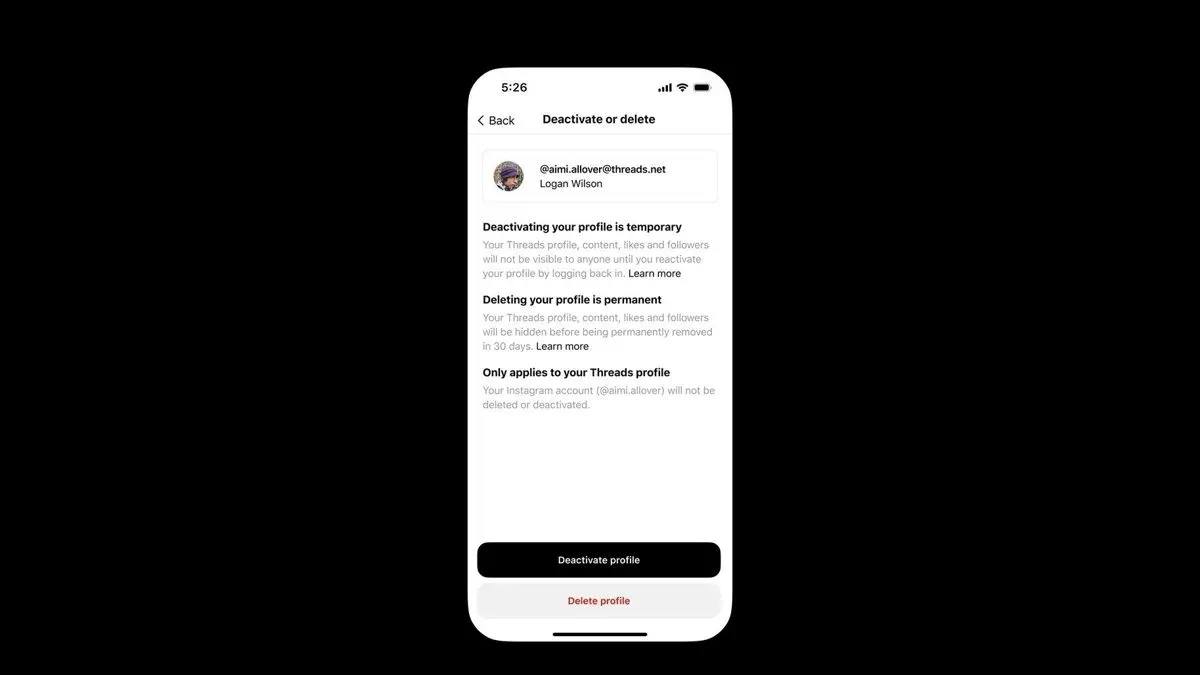
Threads does not currently offer a direct deactivation option separate from Instagram. To temporarily stop using Threads, logging out through the app or website is the main approach. This does not delete data or affect the linked Instagram account and allows easy access later by logging back in.
Permanently deleting a Threads account
Deleting a Threads account involves removing the entire linked Instagram account, as Threads is designed to work through Instagram login credentials. To do this, users must delete their Instagram account via Instagram’s settings under Settings > Account > Delete Account. This action removes both Instagram and Threads data permanently. Threads does not support deleting just the Threads portion independently.
For example, a user concerned about privacy after a security breach might delete their Instagram account to ensure complete removal of their Threads presence. This step requires understanding that all Instagram content, messages, and followers will also be lost.
Considerations before deletion
- Deleting the Instagram account deletes Threads access since the accounts are linked.
- Users wanting to stop Threads but keep Instagram should log out or uninstall the Threads app instead.
- Account deletion is irreversible and may take days for complete removal.
- Privacy or inactivity concerns are common reasons for removal.
Tip: Review Instagram’s account deletion page carefully before proceeding, as deleting the Instagram account affects your entire social media presence, including Threads.
Common mistakes to avoid with Threads account security
Reusing passwords across multiple platforms remains a frequent error that increases vulnerability. If a password used on Threads is compromised elsewhere, hackers can gain access rapidly. For example, using the same password for Threads and a less secure site can lead to account takeover if that site leaks data.
Ignoring security notifications or suspicious login alerts can delay response to hacking attempts. Threads users sometimes overlook alerts sent via Instagram or email, which can warn about unrecognized devices or locations. Prompt attention to these messages is crucial for early intervention.
Phishing scams impersonating Threads or Instagram are common and often very convincing. These scams typically use emails or messages that look official, urging users to click links or provide login details. One reported case involved a user receiving a fake “security check” email asking to verify their account, which led to credential theft once the link was followed.
Delaying action after suspecting account compromise can worsen the situation. Immediate steps like changing passwords, revoking suspicious app access, and enabling two-factor authentication can prevent further damage. Procrastination often allows attackers to deepen control or misuse the account.
Tip: Treat all security alerts seriously and verify links by accessing Threads or Instagram directly through official apps or websites, not through email links.
Best practices for ongoing Threads account management
Maintaining strong security and privacy on Threads requires consistent attention to account settings and activities. Regularly updating passwords every few months reduces the risk of unauthorized access, especially if previous credentials have been compromised elsewhere. Users should navigate to Instagram's settings under "Security" > "Password" to perform updates.
Monitoring account activity is critical. Checking the "Login Activity" section in Instagram’s security settings can reveal unfamiliar devices or locations, allowing prompt action to revoke access. Additionally, reviewing connected apps under "Apps and Websites" helps identify and remove any suspicious third-party access.
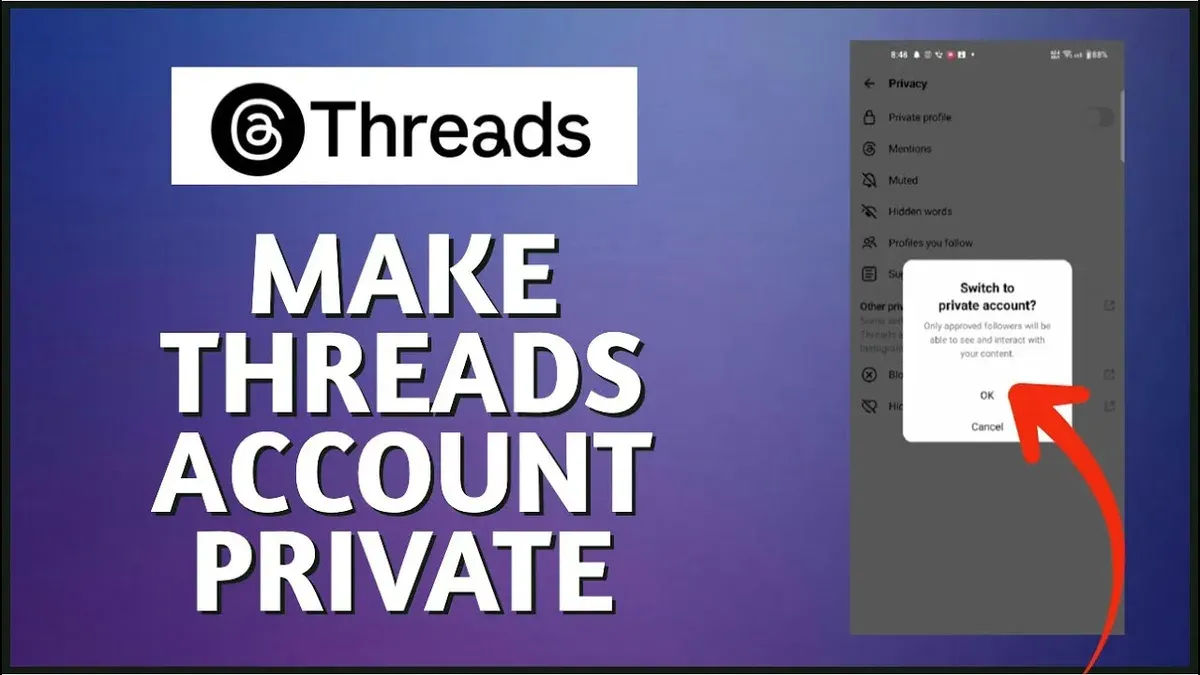
Privacy controls on Threads can be adjusted to limit interactions and visibility. Within the Threads app, accessing "Settings" > "Privacy" enables users to manage who can reply to posts and view content, which mitigates unwanted engagement or exposure.
Backing up important data, such as contact lists and saved posts, through Instagram’s data download feature ensures recovery options if the account is ever compromised or deleted. This export can be initiated via "Settings" > "Security" > "Download Data."
For example, a user who previously experienced unauthorized login attempts improved security by changing passwords quarterly, enabling strict reply controls, and regularly auditing connected apps. This shift reduced suspicious activity and strengthened overall account integrity.
Tip: Setting calendar reminders for quarterly password updates and monthly activity reviews helps maintain disciplined account management habits.
Further reading
- How to Recover and Protect a Hacked Snapchat Account
- Signal Account Hacked: How It Happens and What to Do Next
- How to Protect and Recover from a Kik Account Hack
Frequently asked questions
How to get a threads account?
To get a Threads account, download the Threads app from the official app store and sign up using an existing Instagram account. The platform requires an Instagram login to create a Threads profile, linking the two accounts. Follow the prompts to set up the display name and username before starting to use the service.
How to remove threads account?
Removing a Threads account involves deactivating or deleting the linked Instagram account since Threads is directly connected to Instagram credentials. There is no separate removal option solely for Threads. To effectively remove the account, use Instagram’s account settings to deactivate or delete the Instagram profile.
How to lock threads account?
Locking a Threads account means enabling security features like two-factor authentication (2FA) on the linked Instagram account. This can be done by going to Instagram Settings > Security > Two-Factor Authentication and following the setup steps. Additionally, ensure the account has a strong password and review connected apps regularly to reduce hacking risks.
How to delete your threads account?
Deleting a Threads account is done through Instagram since Threads accounts are not standalone. To delete, go to Instagram Settings > Account > Delete Account and follow the instructions. This process removes both Instagram and Threads access since they share login credentials.
Can threads account be hacked?
Yes, a Threads account can be hacked primarily if the linked Instagram account is compromised. Weak passwords, phishing, or lack of two-factor authentication increase this risk. Securing the Instagram account with strong passwords and 2FA is essential to protect the Threads profile from unauthorized access.
Limits of this advice and when to seek other help
This advice focuses specifically on Threads account security and recovery. It does not cover hacking incidents involving Instagram accounts linked to Threads, which may require separate recovery steps through Instagram’s support channels. Users with compromised email accounts should prioritize securing their email first, as access to the registered email is critical for Threads account recovery processes. Some recovery options depend on platform policies that can change without notice, potentially limiting immediate restoration of account access.
The single most useful next step is to enable two-factor authentication (2FA) via the Threads app settings under Privacy & Security. Activating 2FA significantly reduces the risk of unauthorized access by requiring a verification code in addition to the password, making account breaches far less likely and improving overall account protection.