How to Protect and Manage a Bluesky Account After a Hack
This guide explains how to protect and manage a Bluesky account after a hack with clear recovery and prevention steps tailored to the platform.

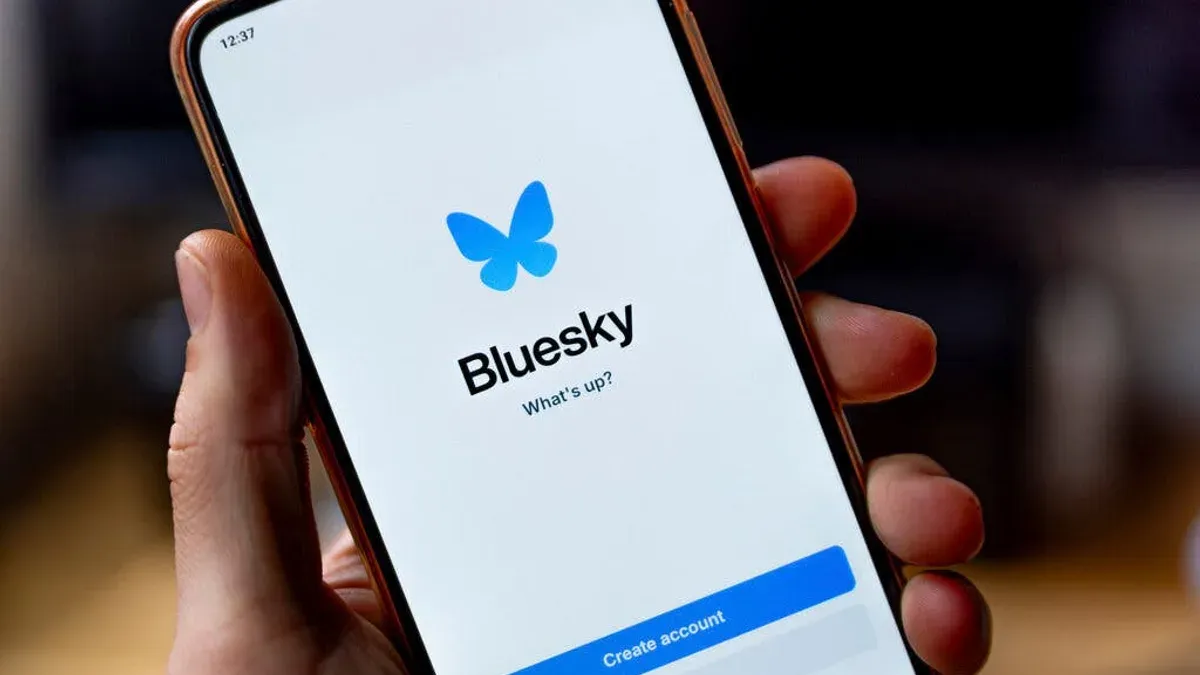
This guide explains how to protect and manage a Bluesky account after a hack, addressing the unique features of the platform and offering clear recovery and prevention steps.
Bluesky account hacked scenarios can be distressing, especially for new or existing users unfamiliar with its specific security controls. Unlike generic social media platforms, Bluesky’s decentralized design and distinctive privacy settings require tailored actions to regain control and secure an account effectively. This article outlines practical instructions on secure account setup, configuring privacy options, responding to compromises, and managing account lifecycle to reduce risks and ensure personal data safety on Bluesky.
What is a Bluesky account and why it matters
Bluesky is a decentralized social media platform designed to give users more control over their online interactions and data. Unlike traditional social networks, Bluesky operates on a distributed architecture, allowing users to participate in a network where data and content moderation are less centralized.
A Bluesky account is essential for accessing the platform’s social features, including posting content, following other users, and engaging in conversations. Users can customize their profile, manage connections, and explore content streams tailored to their interests. As the platform gains traction, its user base is steadily growing, with a rising number of individuals and communities adopting it for more open and user-governed social networking.
Account security is critical on Bluesky because it safeguards personal data, social connections, and the integrity of a user’s online presence. Losing access or having an account compromised could expose private messages, follower lists, and personal profile information. For example, a user who curates a niche community or shares original content relies on their account’s security to maintain trust and continuity without disruption.
Tip: Regularly reviewing account access permissions and privacy settings can help maintain control over personal information and interactions on Bluesky.
How to create and set up a Bluesky account securely
Starting the Bluesky account creation process involves downloading the Bluesky app or visiting the official website. Users begin by selecting the "Sign Up" option, then entering a valid email address and creating a unique username. A strong password is essential; it should be at least 12 characters long, combining uppercase and lowercase letters, numbers, and symbols to reduce vulnerability to brute force attacks.
After entering account details, users are prompted to set initial privacy preferences. This includes choosing whether the account is public or private; selecting "Private" limits posts and interactions to approved followers, enhancing security from the outset.
Bluesky also offers two-factor authentication (2FA) as an additional security layer. To enable 2FA, navigate to Settings > Security > Two-Factor Authentication. Users can link an authenticator app or use SMS-based codes. Although SMS 2FA is easier to set up, authenticator apps provide stronger protection against SIM swap attacks.
For example, when setting up a new account, a user might select a username like "BlueSkyExplorer123," choose a complex password such as "V3ry$tr0ngP@ss!", opt for a private account, and activate 2FA through an authenticator app. This combination reduces exposure to unauthorized access and protects personal content.
Tip: Always verify the email address during sign-up to ensure account recovery options remain accessible if needed.
How to make a Bluesky account private
Bluesky allows users to control their account visibility through clear privacy settings accessible in the app's main menu under Settings > Privacy. The primary option is toggling the account between Public and Private. A public account means posts and profile details are visible to anyone, while a private account restricts content to approved followers only.
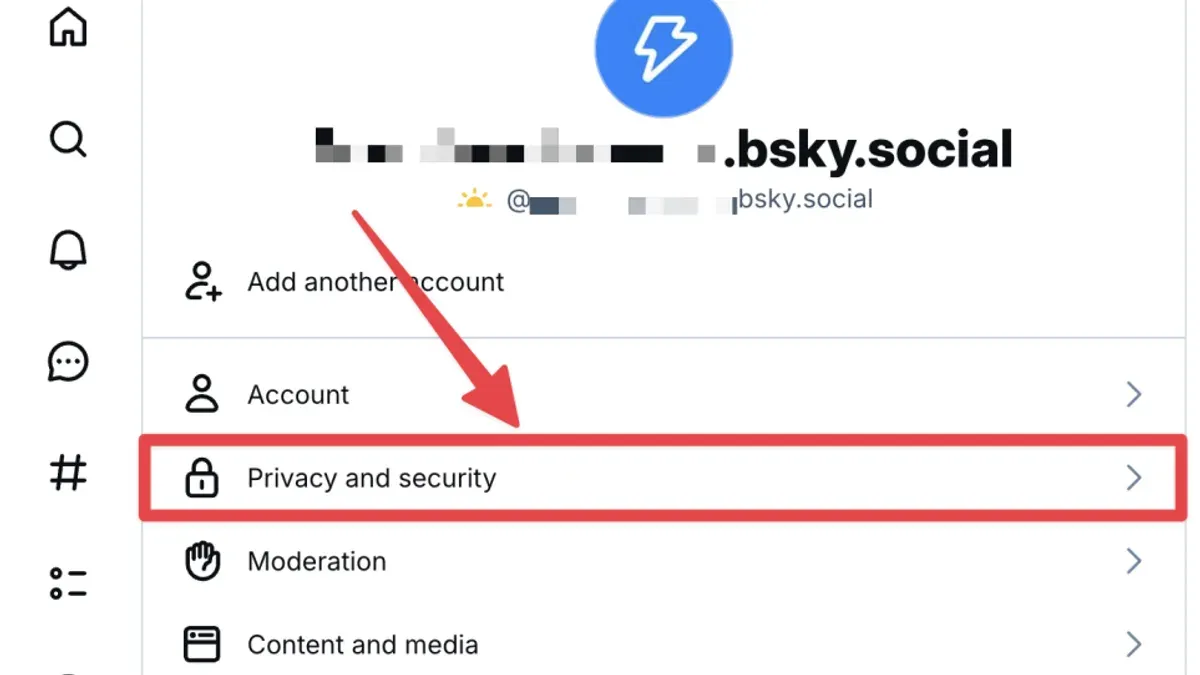
Switching to a private account changes who can follow and view posts. When set to private, follow requests require approval, preventing unknown users from accessing personal posts. For example, if a Bluesky user named Alex switches to private, new followers will see a request notification, which Alex must approve or deny before they see any posts.
Beyond the main toggle, Bluesky provides granular controls like limiting who can see the user's following list or who can mention the user in posts. These settings are found under Settings > Privacy > Audience & Interactions. Users often overlook the option to hide their following or followers list, which adds an extra layer of privacy.
Trade-off: A private account offers stronger control but limits account reach and discovery by new followers, which may affect social growth on the platform.
Tip: Regularly review approved followers and adjust settings to maintain a desired privacy level as the account evolves.
How to recover a Bluesky account after it was hacked
Signs of a compromised Bluesky account include unexpected posts, messages sent without user consent, login notifications from unfamiliar devices, or sudden loss of access. Prompt detection is crucial to limit damage.
To regain access, first attempt a password reset via the "Forgot password?" link on the Bluesky login page. Use the email associated with the account to receive reset instructions. If the hacker changed the recovery email or phone number, direct recovery through the standard process may fail.
In cases where password reset is unavailable, contact Bluesky support immediately by submitting a report through the help center or emailing their security team. Provide account details, a description of the issue, and any proof of ownership like previous login locations or linked devices. Bluesky’s response times vary but typically range from a few hours to a few days, depending on volume.
Once access is restored, promptly change the password to a strong, unique one and enable two-factor authentication in Settings > Security. Review connected apps and revoke any suspicious access under Settings > Apps. Inform followers about the hack if unauthorized posts were made.
Compared to other platforms, Bluesky’s decentralized model can complicate recovery, making early reporting and securing linked credentials essential. Regularly monitoring account activity and updating security details reduces risk of future breaches.
Example: A user noticed strange posts appearing without their knowledge. They reset their password via email, then contacted support when the hacker had changed recovery options. After verifying identity, Bluesky restored the account within two days, allowing the user to secure it fully.
How to delete or cancel a Bluesky account
Deleting a Bluesky account is a permanent process accessible through the app’s settings. To initiate deletion, users should navigate to Settings > Account > Delete Account. Bluesky will prompt confirmation steps to prevent accidental deletion, requiring the account password and a final confirmation tap.
Upon deletion, most personal data associated with the account, such as profile information, posts, and follower lists, are removed from public access. However, Bluesky’s policy clarifies that some data, including system logs and cached content, may be retained for a limited period to comply with legal obligations and to prevent abuse.
Before proceeding, users should consider that account deletion is irreversible. For example, if someone deletes their account to take a break but later wants to return, they must create a new account, as usernames and handles from deleted accounts cannot be reclaimed immediately and might be reassigned.
Tip: Back up any important posts or data before deletion, as recovering content after account cancellation is not possible.
User experiences reflect that account deletion is straightforward but often misunderstood in terms of data retention and username availability. Being fully informed helps avoid surprises after completing the process.
Common mistakes to avoid with Bluesky account security
One frequent error is using weak or reused passwords across multiple platforms. This practice significantly raises the risk of unauthorized access, as credential-stuffing attacks take advantage of leaked passwords from unrelated breaches. Bluesky users should avoid simple passwords like "password123" or reusing the same password used on other sites.
Another common mistake is neglecting privacy settings, leaving the account public unintentionally. Many users fail to confirm that their profile visibility and post settings are configured correctly, increasing exposure to unwanted followers or malicious actors. For instance, not enabling follower approval can allow strangers to access sensitive content.
Delayed response to suspicious activity is also problematic. Users often overlook early signs such as unexpected login notifications or unusual posts before addressing potential compromises. Promptly checking the "Security" tab under account settings for login history and revoking unknown sessions can prevent further damage.
Sharing login information or falling for phishing scams remains a major vulnerability. Phishing attempts targeting Bluesky users may come as fake login pages or messages impersonating platform support. A realistic example involves receiving a direct message asking to verify credentials via a provided link, which leads to a counterfeit site capturing passwords.
Tip: Regularly reviewing active sessions and enabling two-factor authentication can mitigate risks from these common mistakes.
How to use Bluesky without an account and related limitations
Users without a Bluesky account can browse public posts and profiles freely. The platform’s search function remains accessible, allowing exploration of topics, hashtags, and public user content. However, this access is strictly read-only.
Without signing in, posting content, following accounts, liking posts, or participating in conversations is not possible. For example, a visitor can view a public thread about music trends but cannot reply, share, or save it to a personal feed.
Creating an account enables interaction with the community and customization of the experience. Account holders can follow others to curate their timeline, engage directly through replies or reposts, and manage privacy settings for their content. This interaction layer is essential for users seeking active participation rather than passive consumption.
Tip: Those exploring Bluesky for the first time can browse publicly to get a feel for the platform before deciding to create an account and access its full features.
How Bluesky is growing and evolving its user base
Bluesky has experienced steady growth, attracting users interested in decentralized social networking that prioritizes user control and data privacy. The platform appeals particularly to tech enthusiasts, privacy advocates, and creators seeking alternatives to mainstream social networks. Recent announcements highlight a gradual increase in active users, though exact figures remain undisclosed, indicating cautious but ongoing adoption.
Factors driving this growth include Bluesky's unique protocol approach, which allows interoperability with other decentralized platforms, and its emphasis on user empowerment through customizable privacy settings. These aspects resonate with users frustrated by centralized platforms' data practices. However, security incidents such as account hacks can temporarily undermine trust and slow user onboarding, prompting Bluesky to reinforce security measures and communication to reassure its community.
For example, after a notable account compromise was reported, Bluesky responded by updating its support resources and encouraging two-factor authentication, which helped restore confidence. This proactive approach illustrates the platform's commitment to balancing openness with security as it expands.
Further reading
- What to Do When Your BeReal Account Is Hacked
- Step-by-Step Guide for What to Do When a WooCommerce Site Is Hacked
- Magento Site Hacked: Essential Steps to Diagnose and Recover Securely
Frequently asked questions
What is bluesky account?
A Bluesky account is a user profile on the Bluesky social media platform, which enables participation in decentralized social networking. It allows individuals to post, follow others, and interact within a network designed for greater user control over data and content. Having a Bluesky account is essential for engaging fully with the platform's features and community.
How to set up bluesky account?
To set up a Bluesky account, visit the official Bluesky website or app and follow the sign-up process by providing a valid email and creating a secure password. After registering, verify the email address to activate the account. Users should then customize privacy and security settings, such as enabling two-factor authentication under the 'Security' menu, to enhance protection.
How to create a bluesky account?
Creating a Bluesky account involves entering a username, email, and password on the sign-up page, then confirming the email through a verification link. Users are prompted to set up their profile and adjust privacy preferences immediately after registration. It is advisable to choose a unique password and enable two-factor authentication to prevent unauthorized access.
How to delete a bluesky account?
To delete a Bluesky account, navigate to 'Settings', then select 'Account', and choose the 'Deactivate Account' option. The platform typically provides a grace period during which the account can be reactivated before permanent deletion. Users should be aware that deleting an account removes all profile data and posts irreversibly.
Does bluesky have private accounts?
Yes, Bluesky allows users to make their accounts private by adjusting settings in the 'Privacy' section. When enabled, only approved followers can see posts and interact with the user. This control helps manage visibility and enhances personal security on the platform.
Limits of This Advice
This article does not cover advanced forensic recovery techniques for severely compromised accounts or legal actions in case of identity theft. Users facing complex breaches or persistent unauthorized access should consult cybersecurity professionals or legal authorities. Security features and procedures may evolve as Bluesky updates its platform; it is essential to verify all recovery and privacy guidance with the latest official Bluesky resources to ensure accuracy.
The most effective next step after securing or recovering a Bluesky account is to regularly review and update account settings under Settings > Privacy & Security. This includes enabling two-factor authentication, adjusting visibility and follower permissions, and periodically changing passwords to maintain strong protection against future unauthorized access.