How to Harden Your Ubuntu Server
Discover essential steps to harden your Ubuntu server and defend against modern cyber threats with effective security measures.

Securing your Ubuntu server requires targeted measures that reflect current threat landscapes. Understanding attacker methods helps system administrators prioritize effective hardening steps tailored to their environment.
Understanding Your Ubuntu Server’s Threat Landscape
Ubuntu servers face evolving risks shaped by attacker motivations and new techniques. Common attack vectors include ransomware exploiting unpatched vulnerabilities, cryptojacking malware abusing server resources, and supply chain attacks targeting software dependencies and updates.
Attackers increasingly use automation and stealth to maintain persistent access, often combining initial compromise with lateral movement inside networks. Supply chain attacks have heightened the importance of verifying third-party software and repository integrity.
Threat relevance depends on the server’s role:
- Web servers: exposed to public traffic, face risks from injection attacks, misconfigurations, and DDoS.
- Database servers: targeted for data theft or ransomware encryption.
- File servers: attractive for cryptojacking and data exfiltration.
Breaches often involve outdated kernels and weak authentication. Attackers exploit misconfigured firewalls and unattended services, emphasizing the need for strict configuration management.
Baseline Ubuntu Server Hardening: Essential Steps with Context
Start by minimizing the attack surface: remove unneeded packages and disable unnecessary services. For instance, a web server should not run database services unless explicitly required, as this increases risk.
Regular patching is critical. Tools like unattended-upgrades automate security patch and kernel update installation, but administrators should verify logs to confirm updates are applied successfully, since failures can go unnoticed.
Configure the Uncomplicated Firewall (UFW) to match your server’s role. For example, a web server typically uses:
ufw default deny incoming
ufw default allow outgoing
ufw allow 80/tcp
ufw allow 443/tcp
ufw enable
This blocks unsolicited inbound connections except HTTP and HTTPS. A commonly missed step is verifying UFW status with ufw status verbose after enabling to ensure rules are active.
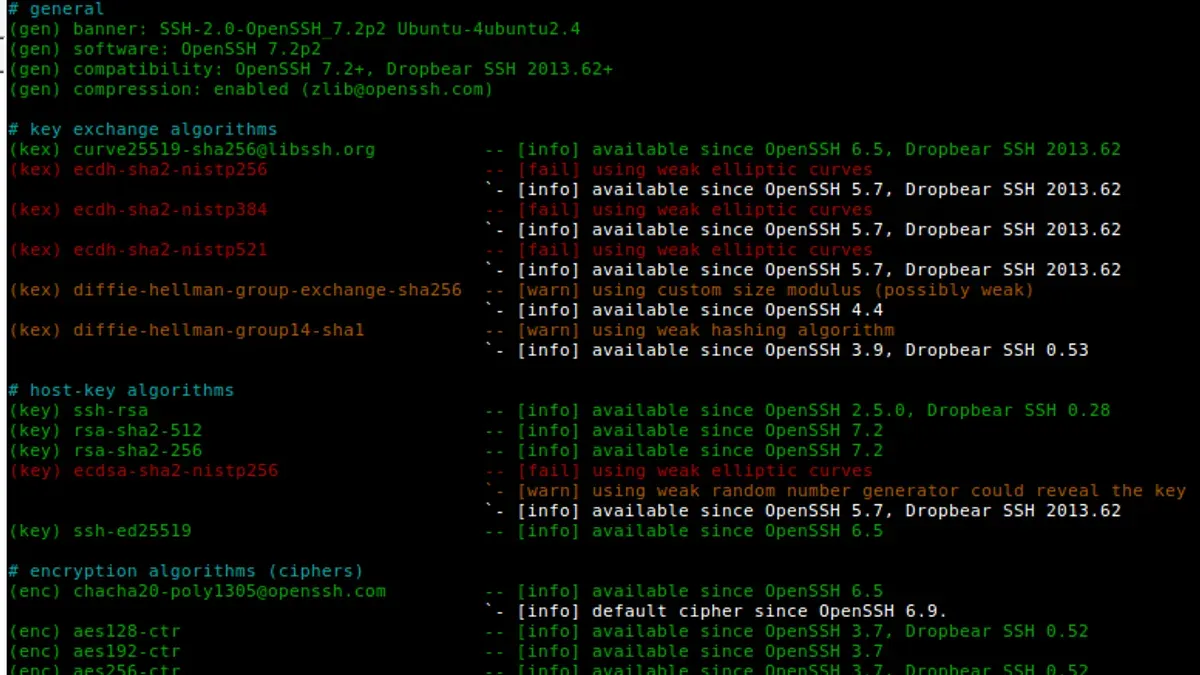
Secure SSH by disabling password authentication and enforcing key-based login:
sudo sed -i 's/^#PasswordAuthentication yes/PasswordAuthentication no/' /etc/ssh/sshd_config
sudo systemctl reload sshd
Note that some administrators forget to reload the SSH daemon, leaving settings unchanged. Also, consider changing the default SSH port to reduce automated attacks, but be aware this is security through obscurity and does not replace strong authentication.
Implement AppArmor profiles on critical services to enforce access controls. For example, enable and enforce the MySQL AppArmor profile with:
sudo aa-enforce /etc/apparmor.d/usr.sbin.mysqldEnsure profiles are in enforce mode rather than complain mode to prevent unauthorized access. Misconfigured profiles can block legitimate operations, so test changes carefully.
These baseline steps mitigate risks such as brute force login attempts, unauthorized service access, and exploitation of vulnerable components.
Advanced Hardening Techniques Aligned with Attack Scenarios
For sophisticated threats, deeper controls are necessary. Systemd sandboxing features like ProtectHome=true (which mounts /home as read-only), NoNewPrivileges=true (which prevents privilege escalation), and PrivateTmp=true (which isolates temporary files) limit damage from compromises. However, these settings may cause application issues if services require write access to home directories or shared tmp; test accordingly.

Mandatory access controls beyond AppArmor can be applied. While SELinux is less common on Ubuntu, Seccomp filters provide fine-grained syscall filtering. Applying Seccomp profiles to network-facing services reduces exposure to kernel-level exploits but requires detailed knowledge of service syscall needs to avoid breaking functionality.
Configure auditd to monitor suspicious activities. For example, auditing all failed sudo attempts generates logs like:
type=USER_AUTH msg=audit(1685432100.123:456): user pid=1234 uid=1000 auid=1000 ses=2 msg='op=PAM:authentication acct="root" exe="/usr/bin/sudo" hostname=? addr=? terminal=/dev/pts/0 res=fail'Review audit logs regularly or integrate with SIEM solutions to detect anomalies.
Deploy intrusion detection systems (IDS) such as OSSEC or Wazuh with tuned rules to reduce false positives. Proper tuning requires understanding normal baseline activity; otherwise, alert fatigue can hinder incident response.
Encrypt data at rest with LUKS and in transit using TLS 1.3 to ensure confidentiality. Modern cryptographic protocols balance security and performance, but administrators should monitor CPU usage on resource-constrained servers.
Hardening Ubuntu Server in Cloud and Containerized Environments
Ubuntu servers hosted in cloud platforms like AWS, Azure, and Google Cloud require integration with cloud-native identity and access management (IAM) controls to enforce least privilege. Over-permissive IAM roles increase risk of lateral movement and data exposure.
Containerized Ubuntu deployments need additional isolation. Use Linux namespaces and seccomp profiles to limit syscalls. A hardened Ubuntu container Dockerfile might start with:
FROM ubuntu:22.04
RUN apt-get update && apt-get install -y --no-install-recommends \
    ca-certificates \
    && rm -rf /var/lib/apt/lists/*

CMD ["/bin/bash"]
Regularly scan containers with tools like OpenSCAP or Lynis integrated into CI/CD pipelines to automate compliance checks and detect deviations early.
Cloud provider security features vary; for example, AWS Security Groups act as network-level firewalls, while Azure uses Network Security Groups with similar capabilities. Selecting and configuring these according to workload needs is essential to avoid unintended exposure.
Maintaining and Testing Your Ubuntu Server Security Posture
Security hardening is continuous. Schedule regular vulnerability scans using tools like OpenVAS or Nessus, followed by penetration testing to identify weaknesses before attackers do.

Use configuration management tools such as Ansible or Puppet to enforce security baselines and detect configuration drift. For example, an Ansible playbook can verify UFW rules and SSH settings across multiple servers consistently.
Effective log monitoring with centralized aggregation (e.g., ELK stack) enables timely incident detection. Alerts based on failed login attempts, unusual process activity, or file integrity changes help identify breaches early.
Plan incident response specifically for Ubuntu servers. Include steps to isolate compromised systems, preserve forensic evidence, and restore from secure backups.
Important Caveats
- This article focuses on Ubuntu server environments and does not cover desktop setups or other Linux distributions, which have different hardening requirements.
- Advanced techniques like systemd sandboxing and mandatory access controls require Linux expertise. Incorrect configurations can disrupt services; always test changes in staging environments first.
- The guidance assumes administrative access to your servers. Shared or managed hosting environments may impose restrictions limiting some hardening options.
Frequently Asked Questions
What are the most critical Ubuntu server security updates I should never skip?
Security patches for the Linux kernel, OpenSSH, and network-exposed packages are essential to apply promptly. Kernel updates fix vulnerabilities that could allow privilege escalation or remote code execution.
How can I balance server performance and security when hardening?
Choose security measures aligned with your threat model. For example, enabling TLS 1.3 offers strong encryption with minimal performance impact. Avoid unnecessary services and use lightweight IDS rules to reduce overhead.
Are there specific Ubuntu hardening practices for web servers vs database servers?
Yes. Web servers require strict firewall rules for HTTP/S ports and protection against injection attacks, while database servers need strong authentication, encrypted connections, and limited network exposure.
What tools can automate Ubuntu server hardening and compliance?
Automation tools like Ansible, Puppet, OpenSCAP, and Lynis integrate into CI/CD pipelines to enforce configurations and audit compliance regularly.