How to Manage Tinder Privacy Settings for Safer Dating
This guide explains how to adjust Tinder privacy settings to balance profile visibility and personal security for safer dating.

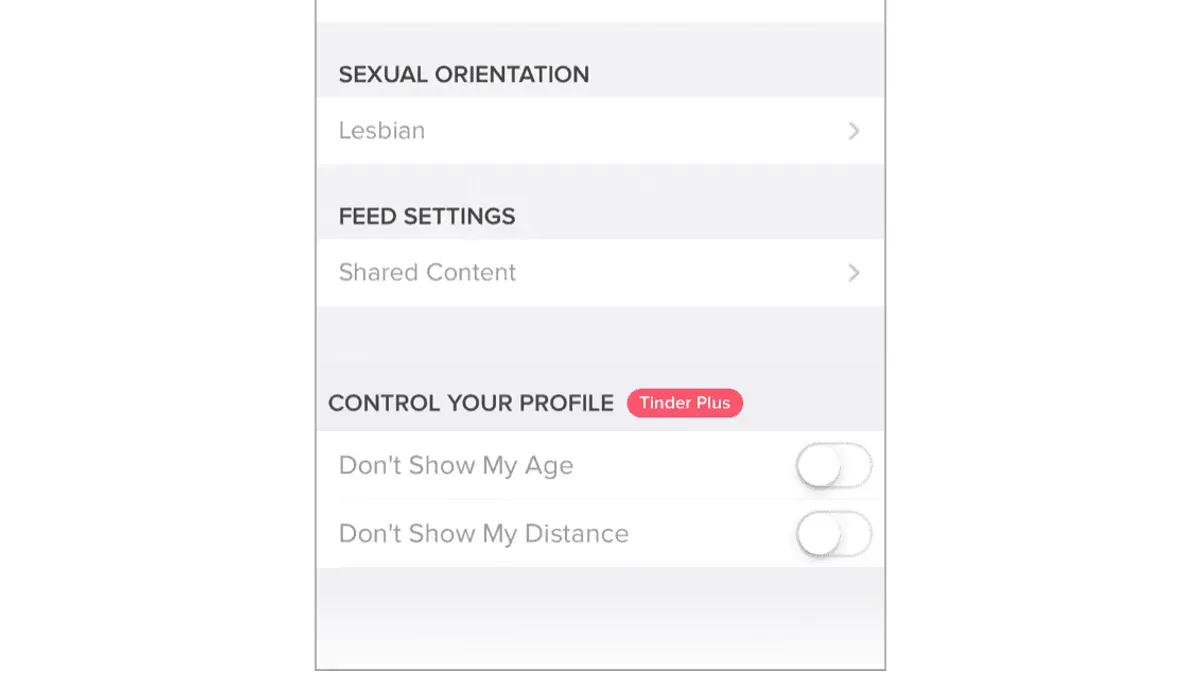
This article explains how to manage Tinder privacy settings to balance profile visibility with personal secrecy. Understanding these settings is essential for controlling data sharing and shaping how others discover a Tinder presence. Tinder privacy settings go beyond toggling simple on/off options; they include nuanced controls like adjusting location accuracy, limiting profile information, and managing who sees activity status.
For example, disabling "Show Me On Tinder" hides the profile from everyone except those already swiped right, but also limits matches. Adjusting "Discovery Preferences" lets users specify the distance range and age groups, tailoring who appears in their feed. Navigating to Settings > Discovery offers these key controls, which many miss when aiming for safer dating.
Careful management of these settings reduces unwanted exposure while keeping the user in the dating pool as desired. This guide details these options and the trade-offs involved, helping new or cautious Tinder users make informed privacy choices.
What Are Tinder Privacy Settings and Why Do They Matter?
Tinder privacy settings are the controls within the app that allow users to manage who can see their profile, what personal information is shared, and how their data is handled. These settings include options like controlling profile visibility, managing location sharing, adjusting match preferences, and limiting personal details shown on the profile. They are found primarily under the "Settings" menu, with key options like "Show My Age," "Show My Distance," and "Discovery Preferences."
Insufficient privacy controls can expose users to various risks, including data breaches, scams, and unwanted contacts. For example, if location sharing is enabled without caution, it can reveal a user's approximate whereabouts, making stalking or harassment easier. Dating app scams often exploit exposed personal data, leading to identity theft or financial fraud. Reports of breaches on dating platforms highlight how critical it is to properly configure settings to protect personal information.
Privacy settings directly impact user experience and safety by balancing visibility and anonymity. A user who opts to hide their distance or age sacrifices some profile attractiveness but gains protection against profiling or discrimination. Conversely, a fully visible profile may attract more matches but increase exposure to unsolicited messages. Understanding and adjusting these settings allows users to tailor their experience according to comfort levels and security needs.
For instance, a user might disable "Show My Distance" to prevent others from pinpointing their location, but keep "Show My Age" visible to maintain transparency. This trade-off shows how strategic use of privacy controls can enhance safety without fully sacrificing engagement.
How to Set Up a Tinder Account with Privacy in Mind
When creating a Tinder account, the choice between signing up with a phone number or an email address carries distinct privacy implications. Signing up with an email generally offers more control over personal data exposure, as emails can be created to minimize traceability, while phone numbers link directly to a physical device and can expose location or identity through carrier data. Tinder's sign-up flow prompts for either option immediately, and users should consider an email account dedicated solely to dating apps to reduce cross-service tracking.
During the registration process, Tinder collects data according to its privacy policy, including device information, location, and usage patterns. This data supports app functionality but also means users should limit personal details shared in profiles. For example, sharing a work email or phone number in the bio increases the risk of unwanted contact outside Tinder.
When adding profile information, only include photos and a bio that do not reveal sensitive details like home address or workplace. Avoid linking Tinder to other social accounts such as Instagram or Spotify if privacy is a priority, since these connections can increase data sharing and profile visibility beyond Tinder.
Consider this: a user signs up with a phone number tied to their main device and links Instagram. Their photos and social circles become easily cross-referenced, reducing anonymity. In contrast, signing up with a separate email and uploading generic photos limits exposure while maintaining functionality.
Tip: Use Tinder’s “Show me on Tinder” toggle off by default during setup to keep the profile hidden until ready to engage.
Can You Hide Your Tinder Profile? What Are Your Visibility Options?
Tinder offers several settings to control who sees a profile, primarily through the Discovery feature. The “Show Me on Tinder” toggle, found under Settings > Discovery Preferences, enables or disables profile visibility in the swipe deck. Turning this off effectively hides the profile from new potential matches but still allows access to the app’s other features, such as messaging existing matches.
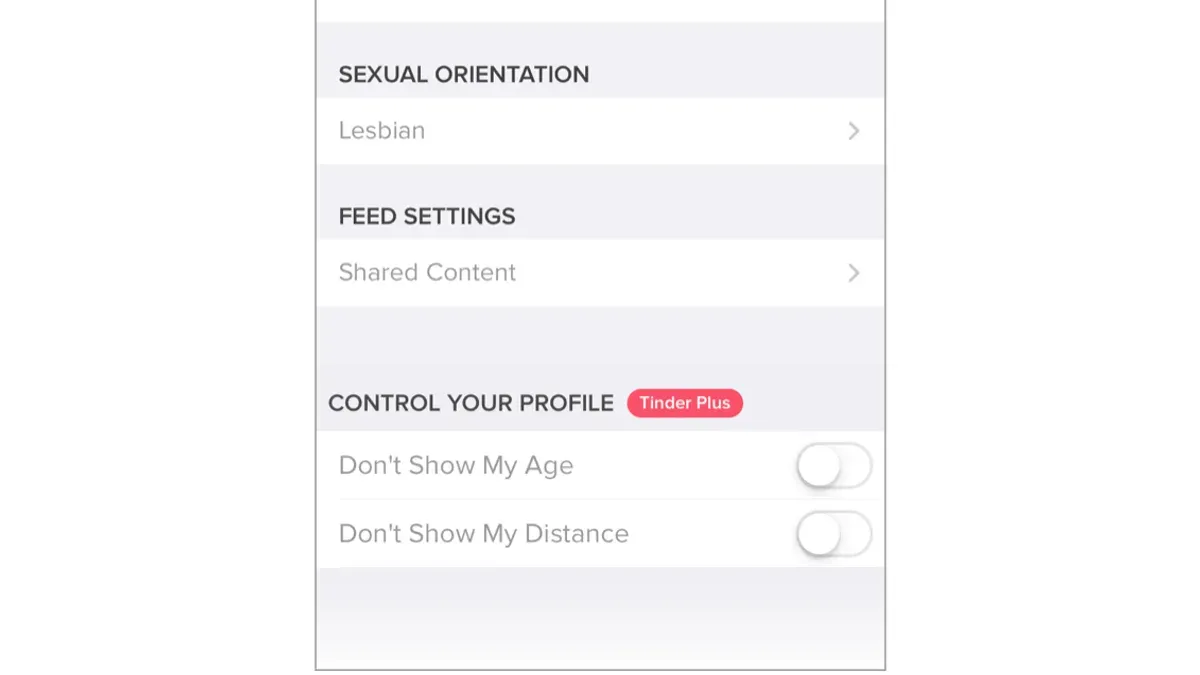
For users on the free tier, disabling Discovery is the main method to hide the profile, but it limits the opportunity to gain new matches. Those who subscribe to paid plans like Tinder Plus or Gold gain more refined control. For instance, the “Hide Me” feature allows users to remain invisible except to people they have already liked, enabling selective visibility without fully disabling Discovery.
Setting this up involves navigating to Settings, locating the Discovery section, and toggling the appropriate options. For example, a user wanting maximum privacy might toggle off “Show Me on Tinder” and then use “Hide Me” to appear only to pre-approved profiles. However, this reduces new match chances and can slow profile activity.
Tip: Review Discovery settings regularly, as app updates may reset preferences or add new visibility controls.
In summary, Tinder’s visibility options range from fully visible to selectively hidden, with paid features offering enhanced privacy tools. The trade-off is between privacy and potential match volume, which users must balance based on their priorities.
How to Navigate Tinder Settings to Use the App Secretly and Safely
Managing Tinder discreetly begins with location controls. Tinder’s “Passport” feature lets users set a custom location different from their actual GPS position. For example, selecting a major city far from one’s real location reduces local visibility while enabling matches elsewhere. To activate, go to Settings > Discovery Preferences > Location and choose “Add a new location.” This method keeps physical whereabouts private but may reduce chances for timely local matches.
Adjusting Discovery settings is another way to stay under the radar. Limiting profile visibility by toggling off “Show me on Tinder” in Discovery Preferences hides the profile from general swipes. Use this when active matching is unnecessary, such as casual browsing or profiles scouting. While this restricts potential matches, it prevents unwanted exposure.
Managing interactions discreetly also means controlling who can contact the profile. Under Settings > Show Me, users can select preferences to limit visibility to specific groups, such as only showing the profile to people who have already matched. This reduces unsolicited messages and enhances privacy.
Phone number privacy is a known weak point. Tinder allows linking a phone number for verification but does not prevent others from searching profiles via synced contacts if the user’s number is saved. To avoid this, users can opt out of phone number linking or disconnect contacts syncing under Settings > Phone Contacts. This reduces the risk of being found by acquaintances through phone book matching.
Worked example: A user in Chicago sets Passport to New York, disables “Show me on Tinder,” and limits visibility to matched users only. This combination lets them browse and chat without local exposure or unsolicited contacts while maintaining app functionality.
How to Use Tinder for Free While Maintaining Strong Privacy Controls
Tinder’s free version includes essential privacy settings that help control profile visibility and data sharing without extra cost. Users can disable “Show Me on Tinder” under Discovery settings to hide their profile from general swiping pools, allowing matches only from people who have already liked them. Additionally, controlling location sharing by setting it to “Only while using the app” limits unwanted location tracking.
However, free users cannot access features like "Hide Age and Distance," which are part of Tinder Plus or Gold subscriptions. These paid features enhance privacy by concealing sensitive details, reducing the chance of unwanted recognition. Another paid option, "Control Who Sees You," allows filtering matches by criteria such as only people who already like the user, improving privacy further but at a cost.
Balancing cost and privacy depends on individual priorities. For example, a user who wants complete discretion might pay for Tinder Plus to hide age and distance and limit profile visibility. Conversely, someone cautious but budget-conscious can rely on free tools like disabling Discovery and managing location settings effectively. One user review noted that turning off Discovery combined with location control gave sufficient privacy without subscribing.
| Privacy Feature | Free Tinder | Paid Tinder (Plus/Gold) |
|---|---|---|
| Show Me on Tinder (Discovery) | Can disable | Can disable |
| Location Sharing | Limited control (app use only) | Same control |
| Hide Age and Distance | Not available | Available |
| Control Who Sees You (Likes You Only) | Not available | Available |
Tip: Disable “Show Me on Tinder” and restrict location access to the app only for effective privacy without paying.
Common Mistakes to Avoid When Managing Tinder Privacy Settings
Oversharing personal information in the profile or messages is a frequent error that undermines privacy. Details like full workplace addresses, daily routines, or specific locations can enable unwanted tracking or social engineering. Even seemingly innocent information, such as pet names or hometown specifics, can be exploited to guess passwords or answer security questions.
Ignoring app and phone permissions is another common pitfall. Tinder may request access to location, contacts, camera, and microphone. Granting these permissions without scrutiny increases data exposure risks. For example, allowing Tinder to access contacts could inadvertently share information with third parties or reveal connections that compromise anonymity.
Many users do not review or update their privacy settings regularly. Tinder updates its app and privacy options periodically; neglecting these changes can leave profiles vulnerable. Regularly checking settings under Profile > Settings > Discovery and Privacy ensures control over who can see the profile and which data is shared.
Falling for scams related to privacy remains a critical issue. Common scams include fake profiles requesting personal data, phishing links sent via Tinder messages, or fraudulent offers promising profile boosts in exchange for login credentials. For example, a scammer might pose as Tinder support asking for password verification through direct messages, which legitimate Tinder support never does.
Tip: Periodically audit app permissions in the phone’s settings and disable any unnecessary ones, like contact access or background location tracking.
What to Do if Your Tinder Account Is Under Review or Compromised
Tinder may place an account under review if it detects unusual activity, violations of community guidelines, or reports from other users. This can include rapid swiping patterns, inappropriate content, or suspicious login attempts. When an account is reviewed, Tinder temporarily restricts access to protect the platform and other users.
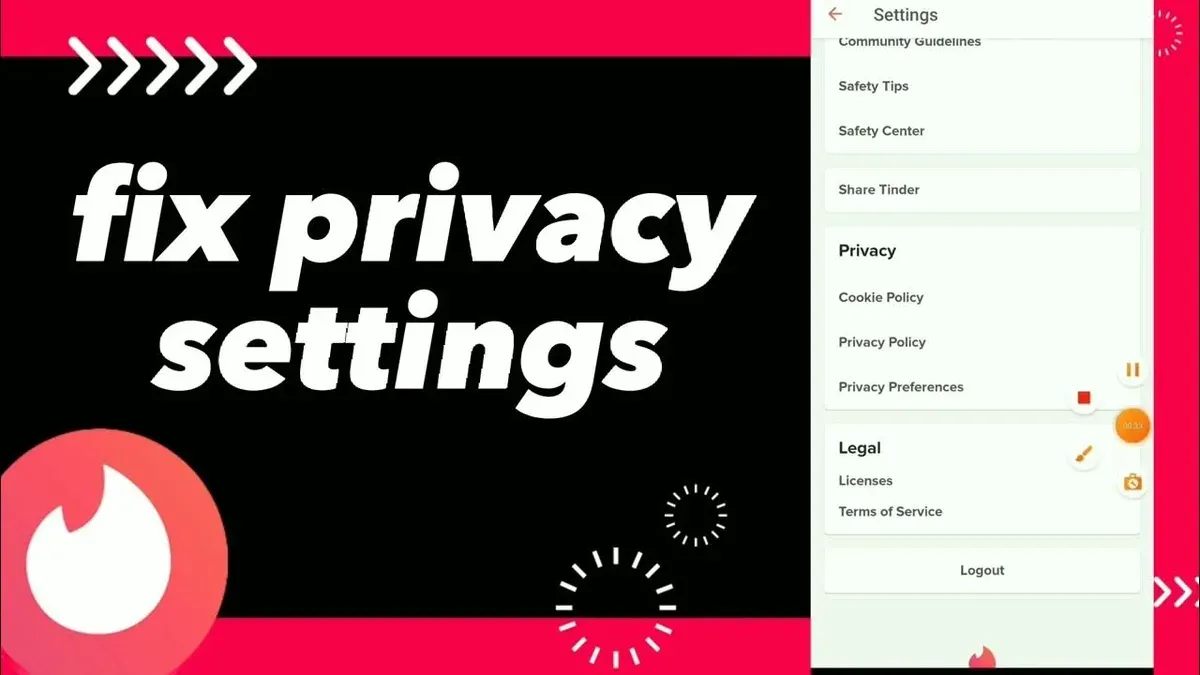
If the account is suspected to be compromised, immediate action is necessary to protect personal data and restore control. The first step is to change the account password through the app or by using the 'Forgot Password' link on the login screen. This prevents unauthorized access from continuing. Next, review connected apps and revoke any suspicious third-party permissions found under Tinder settings or through the associated Facebook or Google accounts.
For example, a user noticed unexpected messages sent from their account. They promptly reset the password, logged out of all devices via Tinder’s security options, and contacted Tinder support via the Help Center under 'Report a Problem' > 'Account Issues'. Tinder responded with instructions to verify identity and confirmed the account was secure after investigation.
Tinder’s Help Center states users should provide detailed information when contacting support, including screenshots and descriptions of suspicious activity. This speeds up resolution and helps protect privacy. Avoid sharing passwords or verification codes outside official Tinder channels.
Tip: Enable two-factor authentication if available and regularly check login activity to detect unauthorized access early.
Frequently asked questions
What about tinder app tips?
Prioritize adjusting the "Discovery Settings" to control who sees the profile, and regularly review permissions granted to the app under device settings. Use "Pause My Account" to temporarily hide the profile without deleting it. Avoid linking Tinder to multiple social media accounts to limit data sharing.
How to set up tinder?
Download the app, then sign up using a phone number, email, or Facebook account. Provide basic profile details, add photos, and set your preferences in "Discovery Settings." Confirm the account through the verification code sent by Tinder to complete setup.
How to use tinder secretly?
Enable "Show Me On Tinder" off in "Discovery Settings" to hide the profile from others but retain match functionality. Use "Passport" to browse in different locations without changing actual GPS data. Limit profile information and avoid linking other social accounts for greater discretion.
Can you set a location on tinder?
Yes, Tinder offers a "Passport" feature in settings allowing users to set and browse profiles in different cities worldwide. This feature is typically available with Tinder Plus, Gold, or Platinum subscriptions. Without Passport, Tinder uses the device’s GPS location automatically.
How to sign up for tinder?
Open the Tinder app and select "Create Account." Choose to register with a valid phone number, email address, or Facebook login. Follow on-screen prompts to verify the account, set up a profile, and adjust privacy preferences before starting to swipe.
What This Advice Does Not Cover and Who Should Do More
This article does not cover advanced digital privacy techniques such as VPN use, encrypted messaging apps, or phone-level security measures like app permission management and device encryption. Users facing targeted harassment, stalking, or with high-risk privacy concerns should consider consulting cybersecurity professionals or using specialized privacy tools beyond Tinder’s built-in settings. Also, this guide does not address how to handle data breaches involving Tinder or third-party platforms.
The most useful next step is to regularly audit Tinder’s privacy settings, especially the “Show Me On Tinder” toggle found under Settings > Discovery Preferences, and the “Smart Photos” feature which cycles profile pictures automatically. Disabling location sharing when not actively using the app reduces exposure. Consistent review of connected apps and permission grants via the phone’s settings can prevent unintended data leaks.
See also: How to Manage and Secure Pinterest Privacy Settings Effectively · How to Use Signal Privacy Settings to Secure Your Conversations · How to Manage Kik Privacy Settings and Use Kik on PC Effectively · How to Control and Protect Your LinkedIn Privacy Settings