Can Hackers See You Through Your Phone Camera? What You Need to Know
Discover the truth about hackers accessing your phone camera and how to safeguard your privacy with effective security measures.

This article explains the realities behind the question: can hackers see you through your phone camera? It separates common myths from actual security risks related to phone camera hacking.
Smartphone cameras can be accessed by hackers, but this typically requires installing malware or exploiting software vulnerabilities. Unauthorized camera access is not a simple process and often involves phishing attacks or malicious apps disguised as legitimate software.
Understanding how hackers gain access and recognizing the signs of camera intrusion can help users take effective preventative measures. This guide offers clear steps to protect smartphone cameras on both iPhone and Android devices, along with a look at the security differences between these platforms.
Can hackers see you through your phone camera?
Yes, hackers can potentially access a phone camera, but doing so requires exploiting specific vulnerabilities or tricking the user into installing malicious software. Such incidents remain rare and usually target high-profile individuals rather than everyday users. For example, documented cases often involve spyware hidden in seemingly legitimate apps that gain camera permissions without clear user consent.
Modern smartphones incorporate multiple security measures to limit unauthorized camera access. Both iOS and Android systems notify users when an app is using the camera, and recent versions include permission controls that allow users to restrict camera access on a per-app basis. Additionally, security updates frequently address known vulnerabilities that could be exploited for camera hacking.
While reported cases of phone camera hacking are uncommon compared to other cyberattacks, the risk is not zero. Users should remain cautious about app permissions and software sources to minimize exposure.
How hackers can gain access to your phone camera
Hackers gain access to phone cameras primarily through malicious apps, software vulnerabilities, and social engineering tactics. Malicious apps disguised as legitimate ones often request camera permissions during installation or use, tricking users into granting access. Once installed, these apps can activate cameras without notification.
Exploits in phone operating systems or third-party apps can also be leveraged to remotely activate cameras. For example, vulnerabilities found in Android’s media framework or iOS components have been patched after researchers demonstrated remote camera activation possibilities. These exploits typically require the hacker to deliver and run code on the device, often through downloaded files or network attacks.
Phishing attacks and social engineering remain common attack vectors. Hackers may send messages or emails that prompt users to install apps or click links leading to camera access permissions. In some documented cases, spyware like Pegasus has been used to infiltrate phones and access cameras covertly.
Can hackers see you through your phone camera iPhone or Android? Differences in security
Both iPhone and Android devices can be vulnerable to camera hacks, but their security architectures create different risk profiles. iOS employs a strict app review process and robust sandboxing, which significantly limit unauthorized camera access by isolating apps and enforcing permission checks. Apps must explicitly request camera permission, visible under Settings > Privacy > Camera, and iOS shows a green indicator dot when the camera is active.
Android’s ecosystem is more open, allowing users to install apps from outside the Google Play Store, which can increase exposure to malicious software. However, Android has evolved its permission model, especially since Android 11, requiring apps to request camera access at runtime and allowing users to revoke permissions via Settings > Privacy > Permission Manager > Camera. Android also features indicators for camera use in the status bar. The openness gives users more control, but also demands careful management of app sources and permissions.
Statistically, camera-related vulnerabilities have appeared on both platforms, often linked to third-party apps rather than core OS flaws. Overall, iOS’s controlled environment generally reduces the risk of camera hacking, while Android’s flexibility requires more user vigilance to maintain security.
Tip: Regularly review and limit camera permissions in device settings and watch for active camera indicators to detect unauthorized use.
Signs that your phone camera might have been hacked
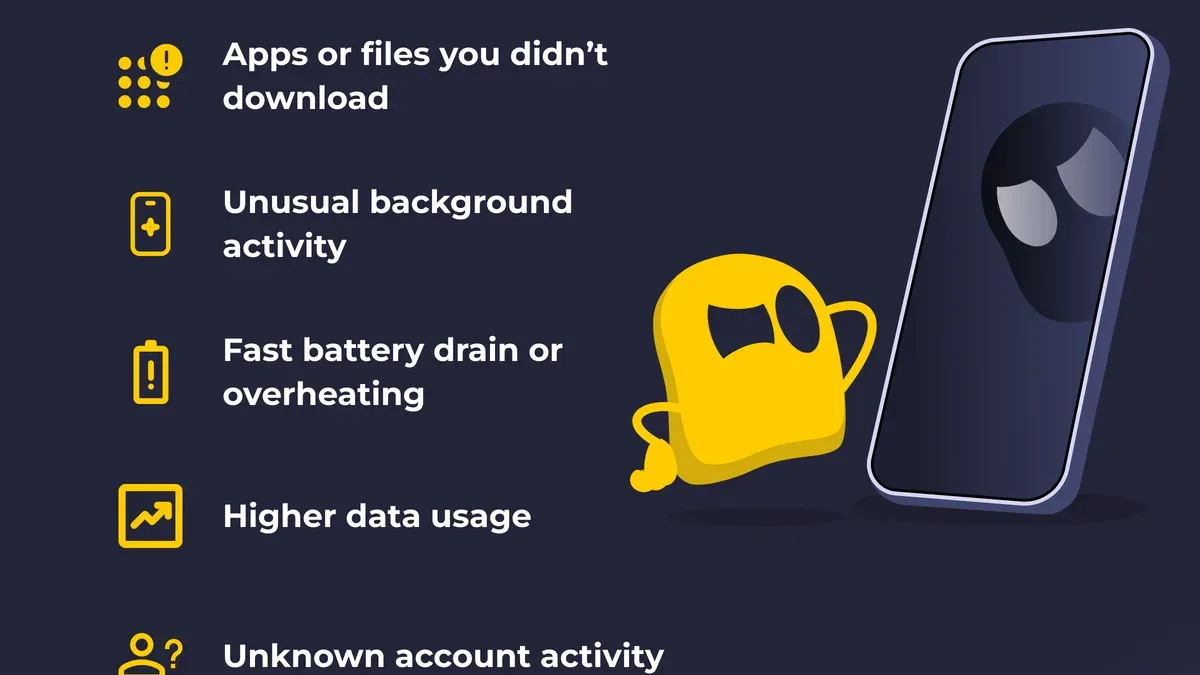
Indications that a phone camera has been hacked include unusual battery drain or overheating when the device is idle, unexpected activation of the camera indicator light, strange noises or activity in camera-using apps, and unfamiliar apps with camera permissions installed. These symptoms arise because unauthorized camera use consumes power and system resources, causing the device to warm up and the battery to deplete faster than normal.
For example, users have reported their phone’s battery draining rapidly despite minimal usage, coinciding with the camera indicator light turning on without any active camera app. Technical explanations suggest malware may be covertly activating the camera, triggering the hardware indicator as a fail-safe in many phone models.
Strange noises or visual glitches in apps that normally access the camera can also indicate interference from malicious software. Additionally, regularly reviewing installed apps and their permissions can reveal unknown applications granted camera access, which may be the source of unauthorized monitoring.
Tip: Regularly check the device’s camera permission settings under Settings > Privacy > Camera (iPhone) or Settings > Apps > Permissions (Android) to spot suspicious access.
How to prevent hackers from accessing your phone camera
The best way to prevent hackers from accessing a phone camera is through a combination of software updates, permission management, and physical precautions.

Regularly updating the phone’s operating system and apps ensures known vulnerabilities are patched, reducing the risk of exploitation. Both iOS and Android release security updates frequently, which often include fixes for camera-related vulnerabilities.
Installing apps only from official app stores like Apple’s App Store or Google Play is critical. Before downloading, users should carefully review app permissions, especially camera access, and disable permissions for apps that do not require camera functionality. On Android, this can be managed via Settings > Apps > [App Name] > Permissions; on iOS, via Settings > Privacy > Camera.
Using reputable mobile security software to scan for malware adds a layer of protection by detecting and removing malicious apps that could attempt unauthorized camera use. While no solution is foolproof, combining these methods significantly lowers risk.
For extra peace of mind, physically covering the camera lens when not in use is a simple, effective barrier against spying, especially when the device is idle or charging.
Tip: Periodically review app permissions and revoke camera access for apps that haven’t been used recently.
Security cameras that cannot be hacked: myths and realities
No security camera is completely immune to hacking, but the level of risk depends heavily on the device's security features and configuration.
Many modern security cameras include built-in encryption protocols, such as AES-128 or AES-256, to protect video streams and stored footage from unauthorized access. Regular firmware updates, often accessible through the camera manufacturer's app or website, patch vulnerabilities and improve security. For example, some brands like Arlo and Nest provide automatic updates that enhance protection against emerging threats.
However, cameras with default passwords, outdated firmware, or exposed to unsecured networks remain highly vulnerable. Past incidents include hackers exploiting weak passwords or unpatched software to gain control of cameras, sometimes using them to spy or launch broader attacks. Ensuring strong, unique passwords, enabling two-factor authentication when available, and keeping firmware current are critical steps to reduce risk.
Tip: Check the camera's admin settings for automatic update options and change default passwords immediately after setup.
Further reading
- Can Hackers Hack Your Phone Through WiFi? What You Should Know
- Can Hackers Hack Your Phone Through Bluetooth? What You Need to Know
- How to Turn Off App Tracking on iPhone, Android, and Computer
Frequently asked questions
Can someone hack your phone camera?
Yes, it is technically possible for someone to hack a phone camera, but it requires the attacker to first gain access to the device through malware or exploiting security vulnerabilities. Such hacks are relatively rare and usually target specific individuals rather than being widespread.
Can hackers access your phone camera?
Hackers can access a phone camera if malicious software with the necessary permissions is installed on the device. This often happens when users download apps from untrusted sources or click on suspicious links that install spyware or remote access tools.
Can your phone camera be hacked?
A phone camera can be hacked indirectly by compromising the phone’s overall security. Without proper safeguards like updated operating systems, strong passwords, and app permission controls, the camera may be accessed remotely by attackers.
Can someone see you through your phone camera?
If a phone camera has been hacked, an attacker could potentially see through it without the user’s knowledge. However, most phones display a light indicator when the camera is active, which helps users detect unauthorized use.
Can hackers see your phone screen?
Hackers generally cannot see a phone screen directly, but they can capture screen content if spyware or screen-recording malware is installed. Protecting against this involves keeping software up-to-date and avoiding suspicious downloads or links.
Limitations of this advice
This article does not cover highly targeted state-sponsored attacks or zero-day exploits that are extremely rare and beyond typical user control. Individuals facing sophisticated threats or targeted surveillance should consult cybersecurity professionals for tailored solutions and advanced protective measures.
The most effective next step for most users is to regularly review and manage app permissions, especially camera access. On iPhones, this can be done via Settings > Privacy > Camera, and on Android, through Settings > Apps > Permissions > Camera. Removing camera access from apps that do not explicitly need it significantly reduces the risk of unauthorized surveillance.