How to Verify an App’s Legitimacy Before Downloading
This guide explains how to check if an app before downloading is legit by using practical steps to ensure safety and avoid scams or malware.

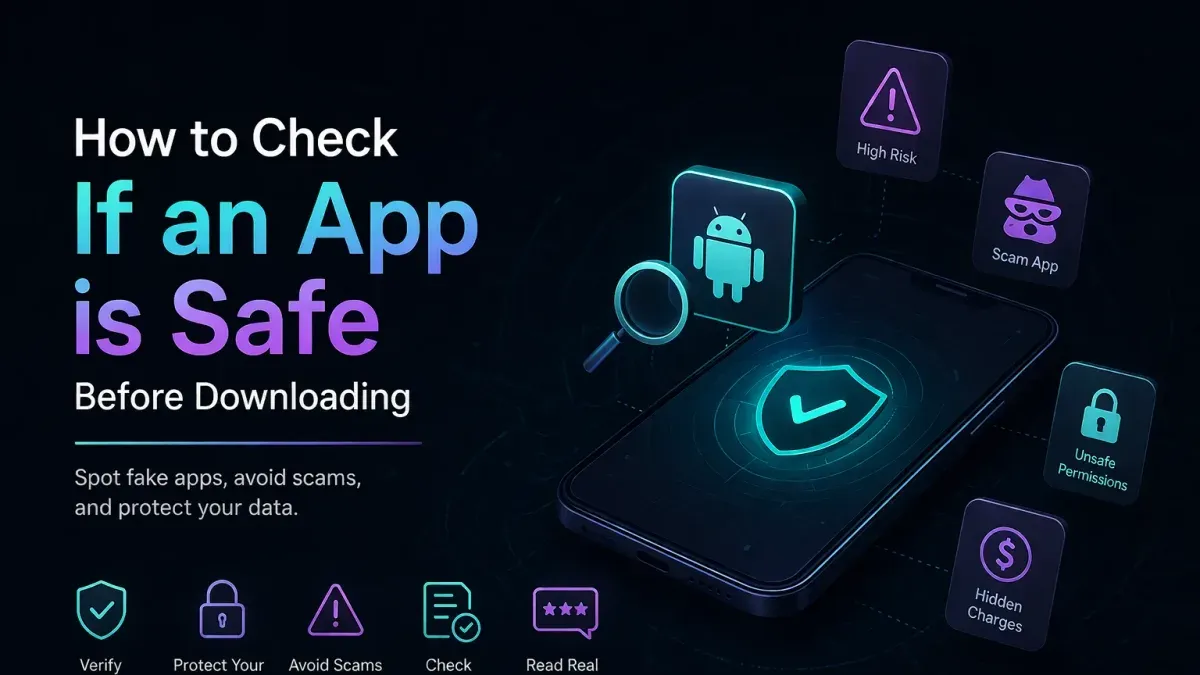
This article explains how to check if an app before downloading is legit by outlining practical steps to assess its safety and trustworthiness.
Understanding these factors helps avoid malware, scams, and privacy risks that can arise from seemingly popular apps. The step-by-step guide combines technical scrutiny with community insights, providing a balanced approach to identifying trustworthy apps before installation.
Before you start: What is needed to verify an app’s legitimacy
Verifying an app’s legitimacy requires a combination of tools, information, and a cautious mindset. First, access to the official app store such as Google Play Store or Apple App Store is essential, or alternatively, a trusted third-party repository like F-Droid for Android users. A device with stable internet connectivity enables research on the app’s background and user feedback.
Basic understanding of app permissions and common security concepts helps in assessing whether an app’s requested access is reasonable. Awareness of typical red flags—such as overly broad permissions, inconsistent developer information, or a high number of negative reviews—guides the evaluation process.
Before evaluating, have the following checklist ready:
- Open the official or trusted third-party app store on the device; successful access shows the app listing page.
- Ensure the device is connected to the internet; verify by loading a reputable website or search engine.
- Familiarize with standard app permissions through the device’s settings menu (e.g., Settings > Apps > Permissions) to recognize unusual requests.
- Prepare to consult third-party review sites and forums for community insights; a functioning browser or app for research is needed.
Tip: Keeping a note of suspicious indicators encountered during research helps in making an informed decision.
Check the app developer’s credibility and history
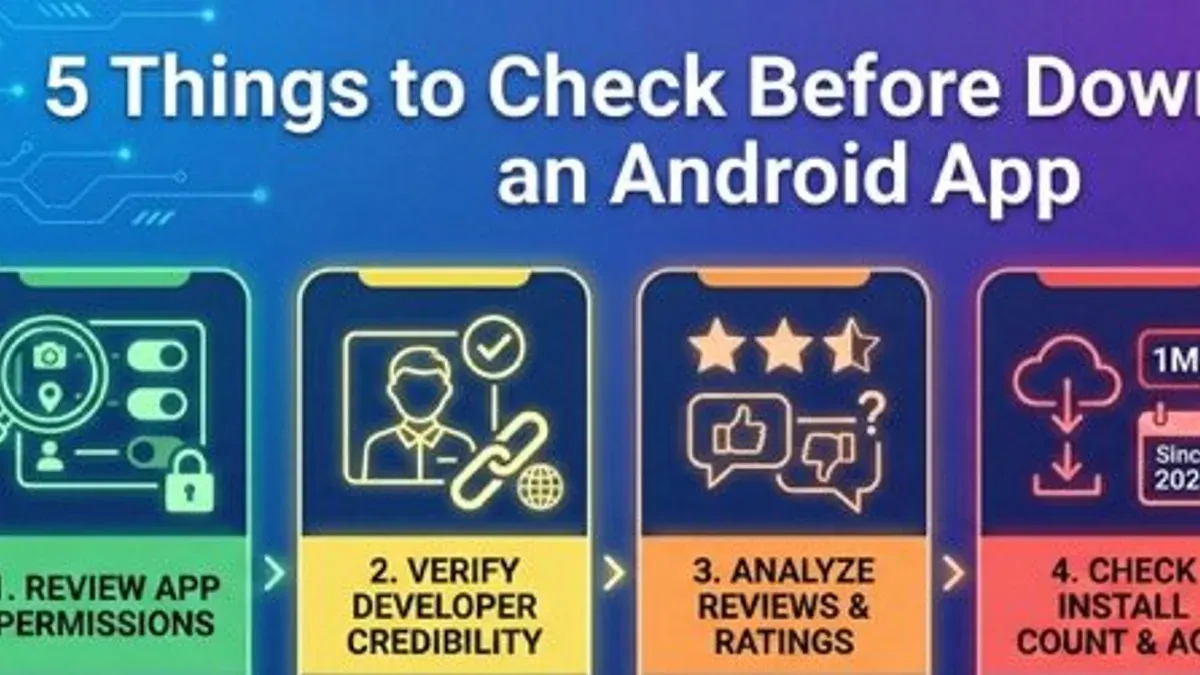
- Locate the developer’s name on the app store listing, typically found below the app title or in the app details section. Confirm if there is an official website link associated with the developer. A reputable developer usually provides a verified website with clear branding and contact information.
- Review the developer’s portfolio by viewing other apps they have published. Well-established developers often have multiple apps with consistent quality and user ratings. For example, a developer like "Google LLC" will have numerous high-rated apps, while an obscure developer may list only one app with mixed or poor reviews.
- Check if the developer is linked to known brands or organizations by researching their company name online. Associations with recognized entities add credibility. Absence of such links or unverifiable identities can be a red flag.
- Look for developer contact details such as email or support links in the app store listing. Attempting to contact them and noting response time or professionalism provides insight into their legitimacy. Non-responsive or generic contacts may suggest caution.
Tip: Comparing a well-known developer profile with an obscure one often reveals differences in app portfolio size, transparency of contact info, and brand recognition, which help gauge trustworthiness.
Analyze app store listing details critically
- Review the app description carefully. A legitimate app usually has a clear, professional, and detailed description that explains its features and purpose. Vague, poorly written, or overly promotional text with many spelling or grammatical errors may indicate a low-quality or fake app.
- Inspect app screenshots for quality and relevance. Genuine apps provide screenshots that clearly represent the app’s interface and functionality. Blurry, generic, or stock images unrelated to the app’s claimed features should raise suspicion.
- Examine user reviews for authenticity. Look out for review patterns such as an abundance of overly positive comments with generic praise or repeated phrases. Legitimate apps often display a mix of positive and constructive feedback. Beware of very recent apps with numerous 5-star reviews posted in a short time span.
- Check the number of downloads and update frequency. Established apps typically have a substantial number of downloads and regular updates reflecting ongoing maintenance. A very low download count combined with infrequent or no updates can be a red flag.
Tip: Cross-check suspicious listings by comparing them to well-known apps in the same category to spot inconsistencies.
Examine app permissions and requested access
Reviewing app permissions helps determine if requested access aligns with the app's intended function. Common permission categories include location, contacts, camera, microphone, storage, and SMS. Each carries potential privacy risks if misused or unnecessary.
For example, a flashlight app requesting access to contacts or SMS is suspicious, as these permissions are unrelated to its core purpose. Conversely, a messaging app legitimately requires access to contacts and microphone. Understanding such relationships aids in spotting excessive permission requests.
Use device settings to manage permissions before or after installation. On Android, navigate to Settings > Apps > [App Name] > Permissions to enable or disable specific access. On iOS, go to Settings > Privacy > [Permission Type] to see apps requesting that permission and adjust accordingly.
- Identify the app’s primary function by reading its description and features; this sets the baseline for expected permissions.
- List the permissions the app requests during installation or in its store listing; note any that seem unrelated to its function.
- Use the device’s permission manager to restrict or revoke permissions not essential for the app’s operation; the app should still perform its core tasks.
- Be cautious with permissions like SMS, call logs, or full device access, which can indicate potential privacy violations if unjustified.
Tip: Some apps request broad permissions to support advertising or analytics, which might be optional; consider alternatives with fewer intrusive requests.
Use third-party tools and community resources for verification
Independent tools and user communities provide valuable layers of scrutiny beyond app stores. Malware scanning services such as VirusTotal analyze app installation files against numerous antivirus engines, often identifying malicious code or suspicious elements before download. A successful scan reveals a clean report with no detections from major engines.
App reputation checkers like AppBrain or APKMirror offer aggregated user feedback and metadata, helping to flag dubious apps with inconsistent details or low trust signals. Cybersecurity forums (e.g., Reddit’s r/androidapps or specialized tech boards) often discuss newly discovered threats or scams, enabling users to tap into real-time reports and experiences.
For those with technical skills, app analysis tools such as JADX or MobSF allow static and dynamic inspection of app code and behavior patterns, identifying potential data exfiltration or hidden functionalities. Additionally, official advisories or blacklist databases maintained by security organizations can confirm whether an app or developer is linked to known risks.
- Visit a malware scanning site like VirusTotal and upload the app installation file (APK or IPA). A clear scan with no flagged issues indicates lower risk.
- Search the app’s name on reputation platforms such as AppBrain; consistent positive user feedback and solid download history suggest legitimacy.
- Browse cybersecurity forums for recent discussions about the app or developer; absence of red flags adds confidence.
- Use app analysis tools to inspect code if possible; lack of suspicious permissions or hidden code supports safety.
- Check official security advisories or blacklists for any warnings related to the app or developer.
Perform a trial run and monitor app behavior post-installation
- Install the app with limited permissions, avoiding access to contacts, location, or personal data initially. This ensures minimal risk if the app behaves maliciously.
- Observe battery usage by navigating to Settings > Battery > Battery usage. A legitimate app typically shows moderate consumption consistent with its function; unusually high drain may indicate background activity or malware.
- Check data usage via Settings > Network & internet > Data usage (Android) or Settings > Cellular > Cellular Data Usage (iOS). Excessive or unexplained data transfer can signal suspicious behavior.
- Monitor device performance and responsiveness. Notice any lagging, crashes, or overheating that coincide with app use, as these can be signs of resource abuse.
- Watch for unexpected notifications, intrusive ads, or unusual background activity. These may indicate adware or spyware components within the app.
- If any suspicious signs arise, uninstall the app immediately through Settings > Apps & notifications > App info > Uninstall (Android) or by pressing and holding the app icon and selecting Remove App (iOS).
Tip: Comparing data usage patterns before and after installation helps isolate unusual spikes attributable to the new app.
Troubleshooting common issues when verifying app legitimacy
Fake reviews often appear overly positive, use generic language, or have repetitive phrasing across multiple apps. Cross-check review timestamps and reviewer profiles for authenticity; genuine reviews usually include specific details and varied feedback.
Ambiguous developer information can be clarified by searching for the developer’s official website, social media presence, or press mentions. If contact details are missing or inconsistent, treat the app with extra caution and seek alternative sources for verification.
Permission analysis has limits because some apps request broad access to function properly, while others may hide malicious intent within legitimate permissions. If unsure, compare permissions with similar apps or consult online permission databases to understand typical use cases.
If suspicious activity emerges post-installation—such as excessive data usage, unexpected ads, or device slowdowns—uninstall the app immediately and run a malware scan. Report the app to the store and check community forums for similar reports.
- Identify suspicious reviews by looking for repeated phrases or all-positive ratings across many apps; authentic reviews typically vary in tone and detail.
- Verify developer information by locating an official website or verified social media accounts; lack of this information suggests caution.
- Compare requested permissions against similar apps to spot unnecessary access; consult permission guides if unclear.
- Monitor device behavior after installation for anomalies like battery drain or data spikes; if detected, uninstall and scan with trusted security software.
- Report problematic apps to the app store and consult user forums to confirm if others have experienced issues.
Tip: Combining multiple verification methods reduces reliance on any single indicator, improving the accuracy of app legitimacy assessments.
Further reading
Frequently asked questions
What are the most reliable signs an app is fake or malicious?
Look for inconsistencies such as a low number of downloads combined with an unusually high rating, poor grammar or spelling in the app description, and a developer name that does not match the official company. Frequent crashes, requests for unnecessary permissions, and negative user reviews citing suspicious behavior are also strong indicators. Suspicious apps often have incomplete or copied screenshots and lack clear contact information.
Can apps from official app stores still be unsafe?
Yes, apps from official stores like Google Play or Apple App Store can still pose risks. Although these platforms implement review processes, malware and scams occasionally bypass their checks. Users should not rely solely on store approval but perform their own verification by examining developer credentials, permissions, and user feedback.
How to differentiate between necessary and excessive app permissions?
Necessary permissions align with the app’s core functionality; for example, a navigation app requires location access. Excessive permissions include access to contacts or the microphone without a clear purpose. Reviewing the app’s description and comparing requested permissions against its functionality helps identify overreaching requests.
What should be done if an app behaves suspiciously after installation?
Immediately revoke unnecessary permissions via the device’s settings and monitor the app’s activity for unusual battery drain or data usage. If suspicious behavior continues, uninstall the app and run a malware scan with a trusted security app. Reporting the app to the app store helps warn others and may prompt a review.
Limits of this guidance and when to seek professional help
This advice does not guarantee detection of highly sophisticated or zero-day malicious apps that may exploit unknown vulnerabilities. Users with critical security requirements, such as those handling sensitive corporate data or personal financial information, should rely on professional security tools, enterprise-grade mobile device management, and consultation with cybersecurity experts.
For most cautious users, the single most effective next step is to combine technical scrutiny with user community feedback before installation. Reviewing verified user reviews, developer reputation, and app permissions together often reveals red flags that might not be obvious from any one source alone.
Tip: When in doubt, delay installing the app until additional trustworthy information can be obtained from reputable third-party sources or official developer channels.