How to Change Your Vanguard Password: Step-by-Step Guide
This guide explains how to change your Vanguard password to keep your account secure and ensure uninterrupted access.

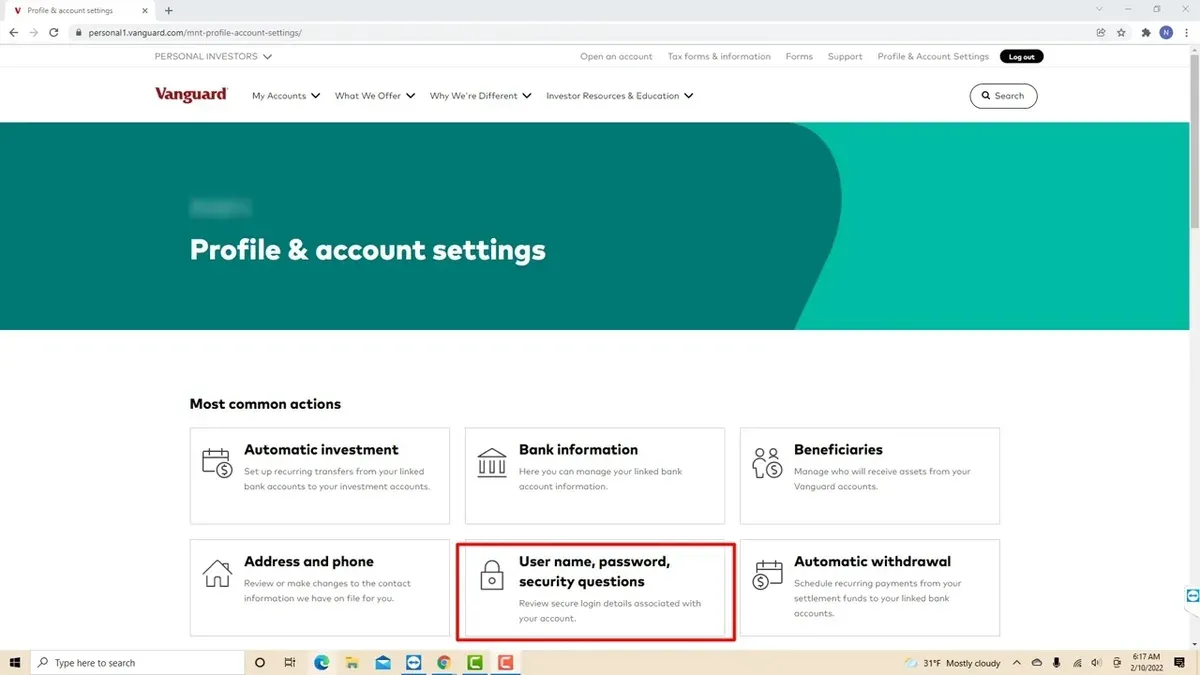
This article explains how to change Vanguard password and manage account security efficiently. It covers the necessary steps for updating login credentials, resetting a forgotten password, and troubleshooting common login problems. Understanding the full process ensures uninterrupted access and protects sensitive investment information.
Before starting, users should have their Vanguard username and registered email or phone number handy. The guide also details password updates via both the Vanguard website and mobile app. Additional advice on related account settings helps maintain comprehensive security control.
Before you start: What is needed to change a Vanguard password
Changing a Vanguard password requires preparation to ensure a smooth and secure process. First, access to the current Vanguard account credentials or recovery options is essential. If the password is remembered, the current login details are used; otherwise, recovery methods like registered email or phone number will be necessary.
A secure device with a reliable internet connection is required to prevent unauthorized access. Vanguard supports several verification methods during password updates: email verification, phone number confirmation via SMS, and answering security questions previously set up in the account.
Understanding Vanguard’s security protocols is crucial. Password changes typically trigger verification steps to confirm identity and protect accounts from unauthorized updates. Users should be ready to provide the requested information promptly to complete the process.
- Prepare the current Vanguard login credentials or identify recovery options. Success: Access to the account login page or recovery interface is confirmed.
- Ensure a secure device and stable internet connection. Success: No connectivity or security warnings appear during login attempts.
- Have access to the registered email, phone number, or security questions. Success: Verification codes or prompts can be received and answered.
- Review Vanguard’s password requirements and security alerts. Success: Awareness of necessary password criteria and verification steps.
How to reset Vanguard password if forgotten
- Go to Vanguard’s login page and click the "Forgot password?" link beneath the password field. This opens the password reset page.
- Enter the registered email address or username associated with the Vanguard account, then select "Continue." A prompt will indicate if the entry matches an account.
- Complete the identity verification by providing requested information, such as the last four digits of the Social Security number or answers to security questions. Successful verification leads to the password reset form.
- Create a new password that meets Vanguard’s criteria: typically at least 8 characters including uppercase, lowercase, numbers, and symbols. Enter it twice to confirm accuracy.
- Submit the new password. A confirmation message will appear stating the password has been reset successfully, and a confirmation email will be sent to the registered email address.
- Return to the login page and sign in using the new password to confirm restored access.
Tip: Check spam or junk folders if the confirmation email does not appear in the inbox within a few minutes.
How to change my password on Vanguard when logged in
- Log in to the Vanguard account dashboard. Once logged in, locate the profile icon or name in the upper right corner of the page and click it to open a dropdown menu.
- Select Account settings or Profile & Security from the dropdown. This directs to the security management page where password changes are configured.
- Click on the Change Password option. A form will appear prompting for password details.
- Enter the current password in the designated field to verify identity. Then, type the new password twice to confirm accuracy and meet Vanguard's security criteria.
- Press the Save Changes button. A confirmation message should appear indicating that the password was successfully updated.
- Log out of the Vanguard account and log back in using the new password to verify the update was effective.
Tip: Make sure the new password uses a mix of uppercase, lowercase, numbers, and symbols to enhance account security.
How to change password on Vanguard app
- Open the Vanguard mobile app and log in using current credentials. The home screen with account overview should appear once logged in.
- Tap the profile icon in the upper right corner to access the account menu. A dropdown or sidebar with account options will display.
- Select "Settings" from the menu, then choose "Security" or "Password & Security" settings. The password change interface will load.
- Tap "Change Password" and enter the current password followed by the new password twice for confirmation. The app will typically show requirements like minimum characters or complexity.
- Follow any additional verification steps, such as entering a one-time code sent via email or SMS, if prompted. This is a standard security measure for app-based password changes.
- Submit the change and wait for a confirmation message indicating the password was updated successfully. You may be automatically logged out.
- Log in again using the new password to verify the change. Access to the account overview confirms success.
Tip: Ensure the app is updated to the latest version to avoid navigation differences or missing security features during the password change process.
How to log in to Vanguard account when facing password issues
First, verify that the username and password are entered correctly, paying attention to case sensitivity and avoiding leading or trailing spaces. Minor typos cause the majority of login failures. If login still fails, use the password reset option to regain access through identity verification.
If the account is locked due to multiple incorrect attempts, a security hold may be in place, temporarily blocking login. These locks usually clear within a short period, but contacting Vanguard support is necessary if access remains blocked beyond normal wait times.
When password reset does not resolve login issues or if suspicious activity is suspected, contacting Vanguard customer support is advised. Support teams typically respond within a few hours during business days and can provide guidance or escalate account recovery.
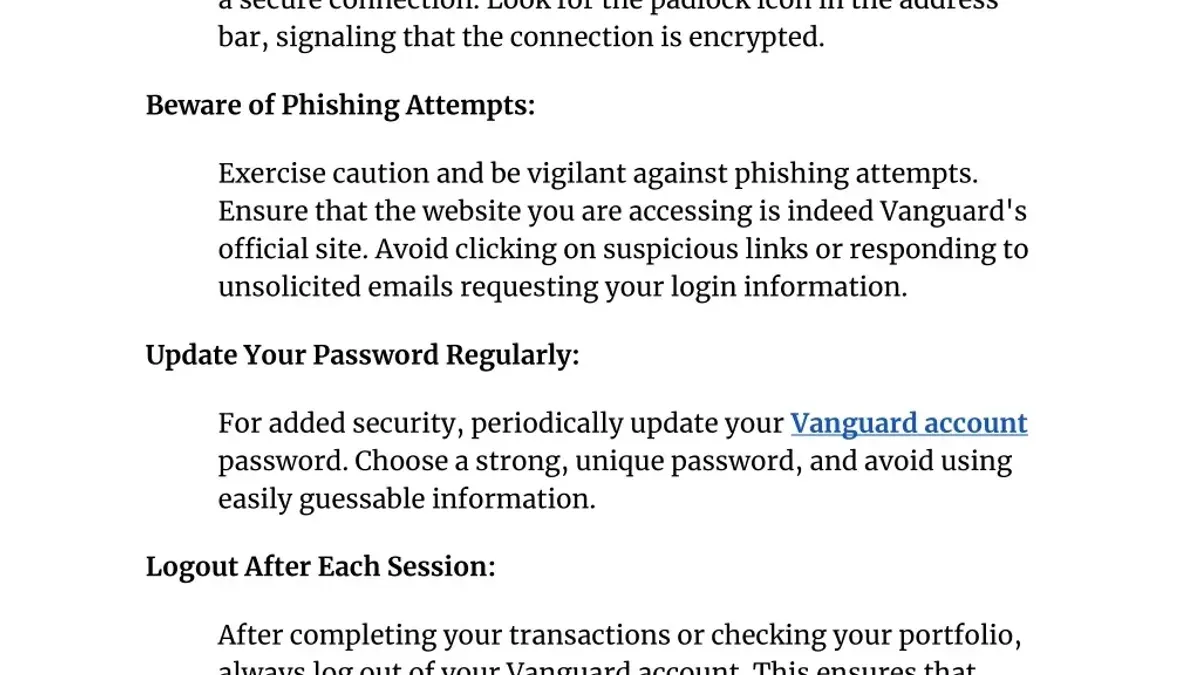
Security best practices: Use strong, unique passwords and update them regularly to reduce repeated login problems. Avoid logging in on public or unsecured networks to maintain account integrity.
Additional account changes related to security and identity
Updating personal information on a Vanguard account, such as linked bank accounts, usernames, or legal names, requires careful steps to maintain account security and integrity. These changes often trigger additional identity verification to prevent unauthorized access or fraud. Verification documents typically include government-issued photo IDs, proof of address, or bank statements, which must be clear and current.
To change a linked bank account, navigate to Profile & Settings > Bank Accounts. Remove the old bank details and add the new account information. Expect a verification process that may take several business days, including small test deposits to confirm ownership.
Changing a Vanguard username is not supported through self-service options. Users must contact Vanguard Customer Service for assistance, providing identity verification to confirm the request.
Name changes require submitting legal documentation such as a marriage certificate, court order, or updated government ID. This process can take up to a few weeks due to manual review and verification.
Tip: Plan these changes ahead as they can temporarily limit account access or transaction capabilities during verification.
Frequently asked questions
How to change bank account on vanguard?
To change the bank account linked to a Vanguard account, log in and navigate to the “My Profile” section. Select “Bank Information” or “Linked Accounts,” then add the new bank details and verify them as prompted. Remove the old account only after confirming the new one is active to avoid transaction issues.
How to change vanguard username?
Vanguard does not allow users to change their username once it is created. If a different username is necessary, the only option is to open a new Vanguard account with the desired username. Contact Vanguard client services for guidance if this is required.
How to change name on vanguard account?
Changing the name on a Vanguard account requires submitting legal documentation such as a marriage certificate or court order. Contact Vanguard customer service to request the name change process and provide the necessary documents via secure upload or mail. The update may take several business days to process.
How to change password for vanguard?
To change the Vanguard password while logged in, access “My Profile,” then select “Password & Security.” Enter the current password, then input and confirm the new password. Save changes to update the login credentials immediately.
Vanguard password reset not working: what to do?
If the password reset link does not work, ensure the link is used within the timeframe it remains valid, usually 30 minutes. Clear browser cache or try a different device or browser. If problems persist, contact Vanguard support to verify account details and receive a new reset link.
What this guide does not cover and when to contact Vanguard support
This guide does not cover account recovery for users who have lost access to all recovery methods, such as email, phone number, and security questions. In such cases, direct contact with Vanguard customer service is necessary to verify identity and regain account access. This process often requires submitting identification documents and may take several business days.
Additionally, this guide does not address advanced security concerns such as multi-factor authentication setup issues or account freezes due to suspicious activity. Users experiencing these problems should consult Vanguard's dedicated security support channels.
Tip: Keep recovery information up to date to avoid lengthy account recovery procedures.
The most effective next step after changing or resetting a Vanguard password is to review and update all associated security settings, including email addresses, phone numbers, and two-step verification options, available under the "Profile" and "Security & Profile" sections of the Vanguard website or app. Regularly maintaining these settings helps prevent future login issues and strengthens overall account security.
See also: How to Change Your Fidelity Password: Step-by-Step Instructions · How to Change Your Charles Schwab Password: Clear Step-by-Step Guide · How to Change Your eBay Password: Step-by-Step Instructions · How to Change Your Payoneer Password and Manage Account Settings