Boost Mobile Port Out Protection: What You Need to Know
Discover how Boost Mobile port out protection prevents unauthorized number transfers and keeps your mobile account secure.

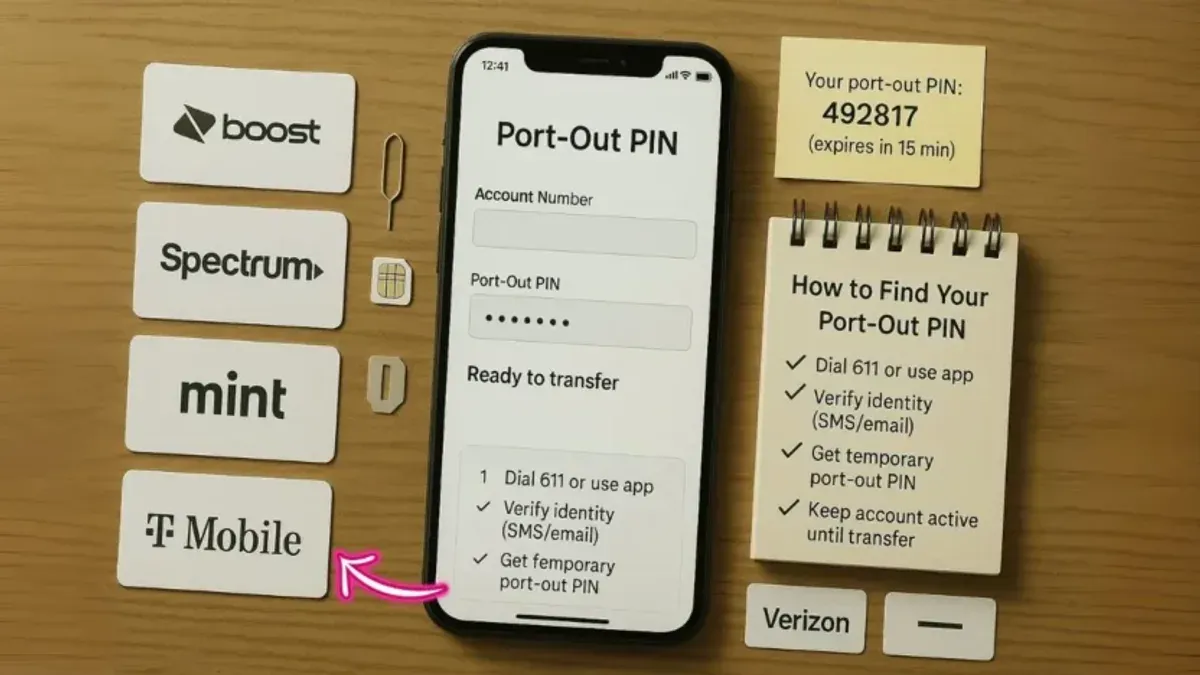
Imagine receiving a notification that your mobile number has been transferred without your consent. This scenario highlights the importance of understanding how to safeguard your number during a carrier switch.
This article explains what Boost Mobile port out protection means, how to port your number out safely, and what security measures Boost Mobile offers to prevent unauthorized transfers. You'll also learn common mistakes to avoid, ensuring your number remains secure throughout the process.
Key takeaways
- Boost Mobile port out protection helps prevent unauthorized number transfers by requiring verification steps.
- Porting out requires initiating the request with your new carrier and confirming your account details with Boost Mobile.
- Enabling a PIN or passcode on your Boost Mobile account adds a layer of security against unauthorized port outs.
- Be cautious of phishing attempts asking for personal information that could be used to port your number fraudulently.
- Double-check account information and maintain updated contact details to avoid delays or security gaps during porting.
What port out protection means and why it matters
Port out protection, also known as port validation, is a security feature designed to prevent unauthorized transfers of your mobile phone number to another carrier. This protection is crucial because without it, someone could fraudulently request to move your number to a different provider, a scam often referred to as SIM swapping.
SIM swapping can lead to serious risks including identity theft, loss of service, and unauthorized access to accounts secured by your phone number. For example, if a scammer ports out your number, they could intercept two-factor authentication codes sent via SMS, potentially gaining control of your email or banking accounts.
Port out protection acts as a safeguard by requiring additional verification steps before allowing a number transfer. Many carriers implement different levels of this protection, such as requiring a PIN or password, or confirming identity through customer service.
Port out scams have affected a growing number of mobile users, with some carriers offering more robust protections than others. Understanding how these features work helps you better secure your number and avoid the inconvenience and risks associated with unauthorized porting.
How to port out of Boost Mobile: step-by-step process
Before initiating a port out from Boost Mobile, ensure your account is active and in good standing, with no outstanding balances. You'll need your Boost Mobile account number and the PIN or password you set up for account security; without these, the port out request will be denied.
To start the port out, contact your new carrier and provide them with your Boost Mobile number, account number, and PIN/password. The new carrier will then submit a port request to Boost Mobile on your behalf.
The typical porting timeline ranges from a few hours to up to 24 hours for prepaid accounts. During this period, your Boost Mobile service remains active until the transfer completes. You may experience a brief service interruption when the number switches carriers.
For example, if you request a port on a Monday morning, your new carrier usually completes the transfer the same day or by the next day. Boost Mobile generally processes port out requests promptly, matching industry standards for prepaid providers such as Metro and Cricket.
| Carrier | Key Port Out Steps | Typical Timeline |
|---|---|---|
| Boost Mobile | Provide account number, PIN; new carrier initiates request | Few hours to 24 hours |
| Metro | Similar account verification; new carrier initiates request | Few hours to 24 hours |
| Cricket | Account number and PIN required; new carrier initiates request | Several hours to 24 hours |
Remember, the port out process must be initiated by the new carrier, not Boost Mobile. Keep your account information handy to avoid delays, and confirm with your new carrier that the port has successfully completed before canceling your Boost Mobile service.
Does Boost Mobile have port out protection and how to turn it on
Boost Mobile requires a unique PIN specific to your account to authorize any port out requests. This PIN acts as a basic layer of port out protection, preventing unauthorized carriers from transferring your number without this code. However, unlike some carriers, Boost Mobile does not offer a dedicated port out lock feature that can be separately toggled on or off through your online account or app.
To ensure your port out PIN is active and secure, you can set or change it by logging into your Boost Mobile online account or using the My Boost Mobile app. Navigate to the 'Profile' or 'Account Settings' section, then select 'Change PIN' to update your port out PIN. Remember, using a strong, hard-to-guess PIN enhances security.
It’s important to note that Boost Mobile’s device protection options, such as insurance or device locking services, do not directly affect port out security. These protections focus on physical device loss or theft rather than number transfer authorization.
For example, if someone tries to port your number without your PIN, the request will be denied. However, if your PIN is compromised or set to a default easy-to-guess number, the protection is weakened. Therefore, regularly updating your PIN and keeping it confidential is your best defense.
Is Boost Mobile secure? Evaluating its safety for your number
Boost Mobile provides several layers of security aimed at protecting your phone number and device beyond just port out protection. Account verification typically requires a unique PIN set by you, which adds a necessary barrier against unauthorized access. Additionally, Boost Mobile offers device protection plans that cover theft, loss, and mechanical breakdowns, adding another line of defense for your mobile experience.
User feedback on Boost Mobile's security is mixed but generally leans positive when it comes to fraud prevention. Some users note that customer support can be slow to respond to suspicious activity, which could be a concern if you detect unauthorized attempts to access your account. However, the carrier's use of PIN verification and alerts for account changes helps reduce the risk of identity theft.
For example, if you receive a notification about a port out request that you did not initiate, Boost Mobile’s account security settings allow you to quickly contact support and freeze the transfer process. This responsiveness is crucial because porting your number without your consent can lead to SIM swapping scams.
Experts often point out that prepaid carriers like Boost Mobile may not have as extensive fraud detection systems as major postpaid providers, but Boost Mobile's implementation of PIN protections and optional device insurance offers a reasonable balance of cost and security for most users.
Common mistakes to avoid when porting your number from Boost Mobile
One of the most frequent issues is not having your Boost Mobile account information and port out PIN readily available. Without these details, carriers cannot verify your identity, leading to delays or failed transfers. For example, a customer who tried to port out without their PIN had to contact Boost Mobile support multiple times, prolonging the process.
Leaving unpaid balances or allowing your Boost Mobile account to become inactive can also block port outs. If your account shows overdue payments or is disconnected, the new carrier may reject the transfer request, forcing you to settle the balance or reactivate your service first.
Another common mistake is neglecting to confirm the receiving carrier’s specific porting requirements. Different providers may require additional information such as account numbers or specific porting codes. Failing to provide these can cause the port out to stall unexpectedly.
Lastly, some customers fall victim to scams or phishing attempts during the porting process. Fraudsters might impersonate carriers or Boost Mobile representatives to gain your PIN or personal details. Consumer protection agencies warn that any unsolicited request for your PIN or account credentials should be treated cautiously.
By preparing your account info, settling balances, verifying the new carrier’s needs, and staying alert to scams, you can avoid common pitfalls and ensure a smooth port out experience.
- How to Protect Your Binance Account from Hacks and Login Issues
- What to Do If Your Best Buy Account Is Hacked: A 2026 Guide
- How to Protect Yourself if Your Apple Pay Account Is Hacked
Frequently asked questions
Can i port my number to boost mobile?
Yes, you can port your existing phone number to Boost Mobile from most other carriers. To do this, you need to provide Boost Mobile with your current account number, PIN or password, and the phone number you want to transfer. Make sure your number is active with your current carrier during the porting process to avoid delays.
How to turn on port out protection boost mobile?
Boost Mobile offers a port out protection feature called "Boost Protect." To enable it, log into your Boost Mobile account online or use the Boost Mobile app and navigate to the security settings. Look for the option labeled "Port Out Protection" or "Boost Protect" and activate it. This adds an extra layer of security by requiring additional verification before your number can be ported out.
Can I port my number to Boost Mobile from another carrier?
Yes, you can transfer your phone number to Boost Mobile from most other U.S. carriers. Ensure your number is active and you have your current account details ready. Provide these details when purchasing your Boost Mobile SIM or activating service, and Boost Mobile will initiate the porting process for you.
How do I get my port out PIN from Boost Mobile?
To obtain your port out PIN from Boost Mobile, contact Boost Mobile customer service via phone or chat. They will verify your identity and provide you with the PIN or password needed to authorize the port out. This PIN is essential for transferring your number to another carrier securely.
What is Boost Mobile Boost Protect and does it help with port out security?
Boost Mobile Boost Protect is a security feature designed to protect your account from unauthorized changes, including unauthorized number porting. It requires additional verification steps before allowing your number to be ported out, adding a safeguard against fraud. Enabling Boost Protect enhances the security of your mobile number.
What this advice does not cover and important considerations
This article does not cover legal disputes or account-specific issues that require contacting Boost Mobile customer service directly. If you encounter suspicious activity or unauthorized porting attempts, reaching out to Boost Mobile support immediately is essential. Security features and policies may change over time; always verify the latest information on Boost Mobile’s official website or through their customer service channels. Remember, port out protection reduces but does not fully eliminate the risk of unauthorized number transfers, so staying vigilant is necessary.
The most useful next step is to activate Boost Mobile’s port out protection feature through your online account or by calling customer service at 1-866-402-7366. This adds an extra layer of security by requiring a PIN or password before your number can be transferred. Setting this up proactively helps ensure that if you decide to port out your number in the future, you do so safely and with control over the process.