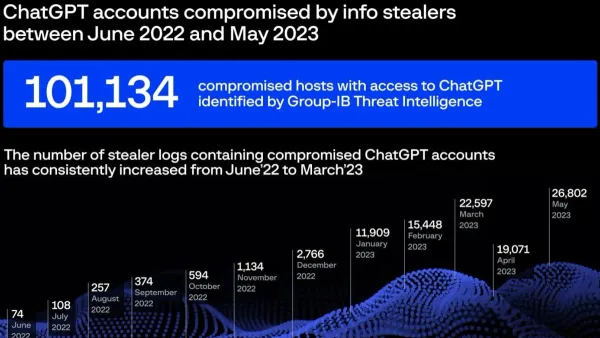
How to Protect and Recover Your Cash App Account from Hacks
Discover steps to protect your Cash App account from hacks and recover it quickly if compromised.

You open your phone to check your balance and notice unusual transactions. Panic sets in as you wonder if your Cash App account hacked scenario is unfolding.
This article explores how Cash App manages your money, the risks of hacking, and the steps you can take to protect and recover your account. You will learn about Cash App’s security features, common hacking methods, and practical advice on safeguarding your funds and personal information.
Key takeaways
- Enable two-factor authentication and strong passcodes to secure your account.
- Recognize common phishing attempts and unauthorized access methods.
- Immediately report suspicious activity through the app’s support channels.
- Verify transactions regularly and review linked bank or card details.
- Understand Cash App’s legitimacy and what to do during outages or technical issues.
What is Cash App and how does it handle your money?
Cash App is a peer-to-peer payment platform that allows you to send, receive, and store money digitally. It functions primarily as a mobile app where users link a bank account or debit card to transfer funds quickly to other Cash App users or to external accounts.
Unlike a traditional checking account, Cash App does not provide full banking services. However, it offers a Cash Card, a physical or virtual prepaid Visa debit card linked to your Cash App balance. This card lets you spend your available funds at stores or withdraw cash from ATMs, similar to a bank debit card, but without features like check writing or overdraft protection.
Cash App securely stores your funds through partnerships with federally insured banks that hold your money. Transactions are encrypted, and the app uses multiple security layers to protect your data and transfers. For example, if you receive $50 from a friend, that money appears instantly in your Cash App balance, which you can then spend using the Cash Card or transfer to your linked bank.
While Cash App simplifies money transfers and offers some banking-like convenience, it is important to remember it is not a replacement for a full-service bank account. Many users appreciate the ease of splitting bills or sending quick payments without needing bank details, contributing to Cash App’s widespread adoption among a diverse user base.
Is Cash App safe from hackers and scams?
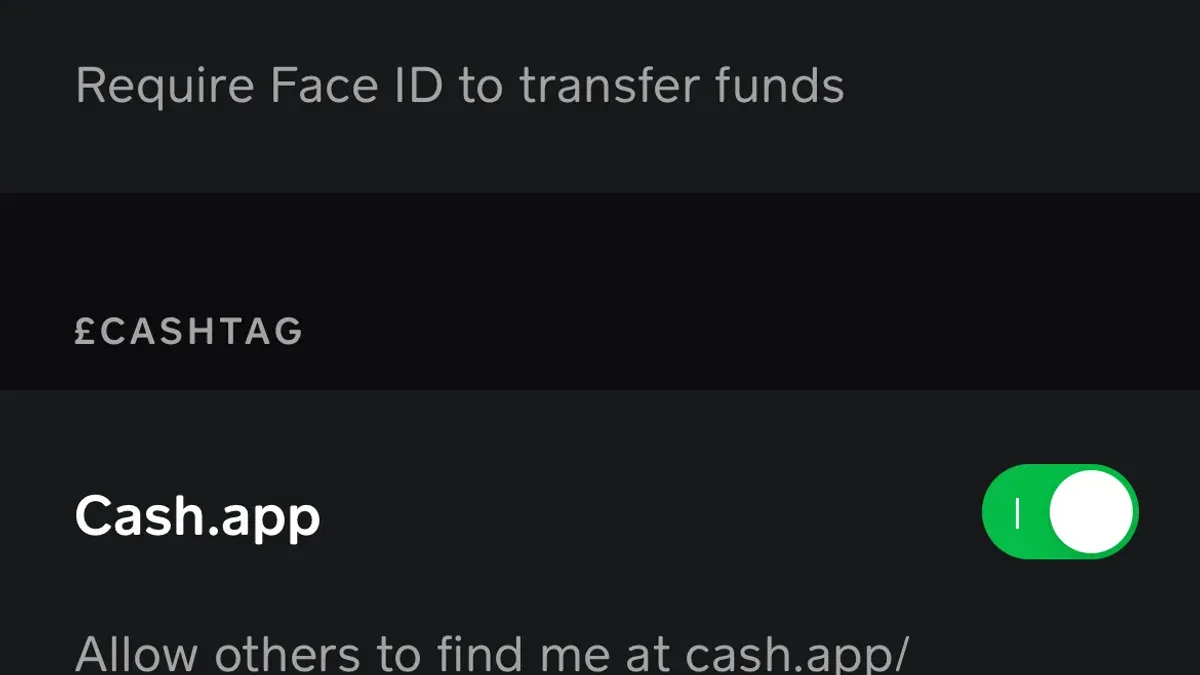
Cash App incorporates several built-in security features to protect your account and transactions. These include data encryption, mandatory PIN codes or Touch ID/Face ID for app access, and optional two-factor authentication (2FA) to add an extra layer of protection. The platform continuously monitors for suspicious activity and allows you to instantly block your Cash Card if needed.
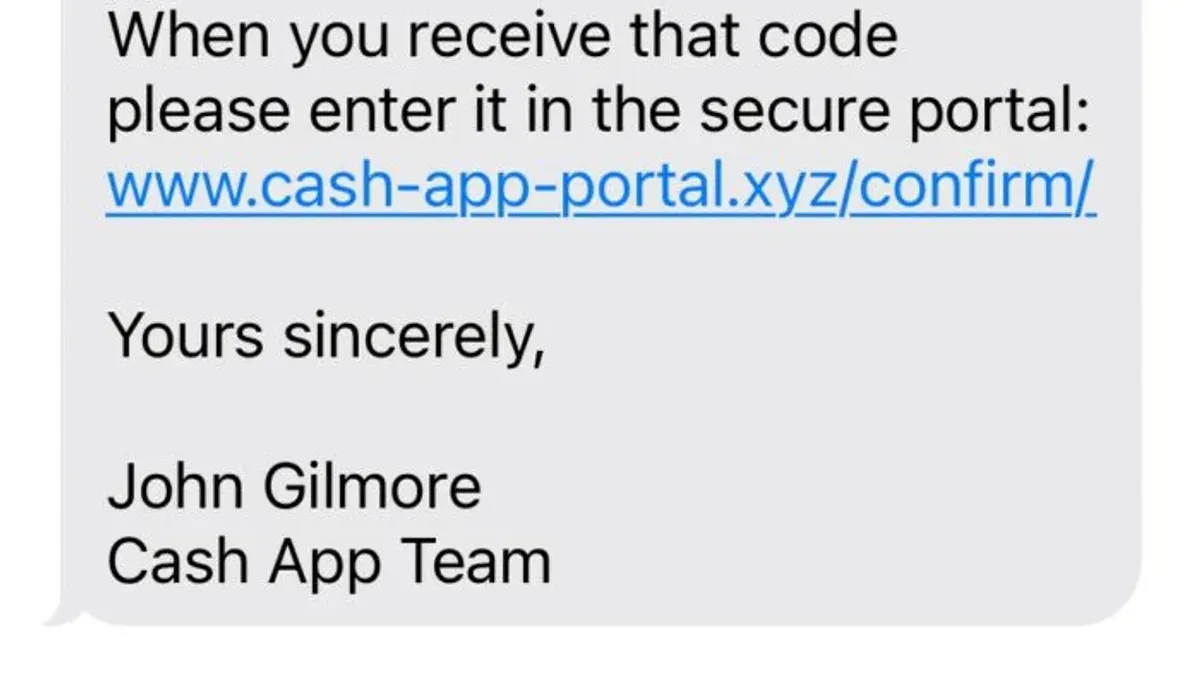
However, while Cash App’s infrastructure is designed to be secure, many hacks result from user-side vulnerabilities rather than breaches of the platform itself. Common attack methods include phishing—where attackers impersonate Cash App to trick you into revealing login credentials—and SIM swapping, which involves hijacking your phone number to bypass SMS-based verification.
For example, an attacker might send a convincing text message pretending to be Cash App support and ask you to provide your sign-in code. If you comply, they gain access despite the app’s encryption and 2FA. This illustrates how social engineering can undermine security measures.
Reports of large-scale Cash App hacks are rare, and official statements emphasize the platform’s commitment to protecting user data. Still, the majority of compromised accounts stem from users unknowingly giving up information or neglecting security settings. Enabling two-factor authentication via the app’s Security menu and setting a strong PIN are critical steps you should take to reduce risk.
Can someone hack your Cash App account? How does it happen?
Yes, Cash App accounts can be compromised, primarily due to vulnerabilities on the user’s end rather than flaws in Cash App’s infrastructure. Attackers commonly use credential theft, phishing scams, and malware to gain unauthorized access.
Credential theft often involves tricking users into revealing their login details. For example, scammers may send fake emails or texts mimicking Cash App’s notifications, prompting users to click malicious links and enter their sign-in information on counterfeit sites. This method is widespread and frequently reported on Reddit threads where victims share how they unknowingly gave away their credentials.
Phishing scams also include tactics like impersonating Cash App support agents. Some scammers promise to fix a non-existent “money glitch” that supposedly multiplies funds, asking users for account information or login credentials. Once provided, the attackers quickly drain the account.
Malware installed through unofficial Cash App APKs or third-party applications can capture keystrokes or intercept authentication codes. Downloading Cash App from outside official app stores increases this risk significantly.
Consider a real example: A user downloaded a Cash App APK from a third-party website, believing it offered extra features. The app contained malware that captured their login credentials and two-factor authentication codes sent via SMS. Within hours, the attacker transferred funds out of their account.
Always download Cash App only from official app stores and remain cautious about unsolicited messages or offers related to your account.
How to make and secure your Cash App account properly
Begin your Cash App sign-up by downloading the official app from the Apple App Store or Google Play Store to avoid counterfeit versions. When creating your account, use a strong, unique password combining at least 12 characters, including uppercase letters, numbers, and symbols. Avoid common passwords or anything easily guessable like birthdays or pet names.
After entering your phone number or email and verifying it via the code sent, link a bank account or debit card carefully. Ensure you input the correct bank routing and account numbers, and never share these details outside the app. Avoid linking prepaid or credit cards, as they may be less secure for peer-to-peer transactions.
Once your account is set up, enable two-factor authentication (2FA) by going to Profile > Privacy > Security > Two-Factor Authentication. This adds an extra verification step, usually a code sent to your phone, making unauthorized access more difficult. Next, set a strong 4-digit PIN under Profile > Privacy > Security > PIN & Touch ID, which is required for sending money and logging in.
Common mistakes include reusing passwords from other sites, skipping 2FA setup, and sharing login credentials. For example, a user who enabled 2FA and chose a complex PIN reported no unauthorized access attempts over several years, highlighting how these steps improve security.
What to do if your Cash App account is hacked or lost
If you suspect your Cash App account has been compromised or you have lost access, act immediately to minimize damage. First, open the app and navigate to your profile by tapping the icon in the upper-right corner. From there, select "Privacy & Security" and promptly reset your password. If you cannot access the app, use the "Forgot Password" option on the login screen to start the recovery.
Next, unlink any connected bank accounts or cards to prevent unauthorized transactions. Go to the "Linked Banks" section under your profile and remove all linked payment methods until you regain full control. This stops hackers from draining your funds while you secure the account.
Contact Cash App support without delay through the app's support feature or via their official website. Response times vary, but users commonly report initial replies within a few hours to a day. Provide detailed information about your issue, including recent suspicious activity and your account details, to expedite assistance.
Report any scams to Cash App immediately and keep a close eye on your linked bank statements for unauthorized charges. Documenting this activity helps in dispute resolution and may speed up potential reimbursements.
For example, a user noticed unfamiliar transactions and immediately reset their password, unlinked cards, and contacted support via the app. Within 24 hours, Cash App verified the claim and temporarily froze the account, preventing further loss. Recovery took about three days with continuous communication.
Common Cash App scams and how to avoid falling for them
Cash App users frequently encounter scams that exploit trust and urgency. One common scam involves impersonation, where fraudsters pose as Cash App support or trusted contacts. These fake messages often claim your account is at risk or offer false refunds, urging you to share login details or verification codes. Official Cash App communication never asks for your full password or PIN.
Another widespread scam targets users with promises of a “money glitch hack” or doubling payments. These claims are fraudulent and designed to steal your money or personal information. Cash App has repeatedly warned users that such offers are scams and cannot be trusted.
Phishing attempts may come via text, email, or social media, directing you to counterfeit websites mimicking Cash App’s login page. Entering your credentials there immediately compromises your account.
For example, a user might receive a text saying, “Your Cash App account will be suspended unless you verify now,” with a link to a fake site. Clicking it and entering details hands access to scammers.
To avoid falling victim, verify contacts by checking the official Cash App support channels within the app or on the official website. Never click links in unsolicited messages, and use the app’s security settings to confirm any suspicious activity. Remember, legitimate support will not pressure you to share sensitive information quickly.
Is Cash App a scam? Understanding the platform’s legitimacy
Cash App operates under Square, Inc., a publicly traded company regulated by U.S. financial authorities. This regulatory oversight requires adherence to strict compliance standards, including anti-money laundering and data protection rules. Its widespread adoption—with millions of active users—supports its standing as a legitimate financial service rather than a scam.
Despite this, some users suspect scams due to delayed transactions, account freezes, or unrecognized charges. These issues often stem from legitimate security measures or technical problems, not fraud. For example, a user might experience a temporary hold on funds if Cash App detects suspicious activity, which can be mistaken for a scam attempt.
It helps to differentiate between genuine platform issues and scams by verifying communications directly through the app or official website. Scammers often impersonate Cash App support via unofficial channels, so never trust unsolicited requests for personal information or payments outside the app.
Reviews on consumer protection sites frequently highlight Cash App’s responsiveness and dispute resolution processes, reinforcing its credibility. While no service is immune to fraud attempts, Cash App’s regulatory status, market presence, and security infrastructure collectively confirm it as a legitimate platform.
What to do when Cash App is having issues or outages
Sometimes, problems accessing your Cash App account are due to platform-wide issues rather than hacks or account problems. Confirming this early helps you avoid unnecessary panic and misguided actions.
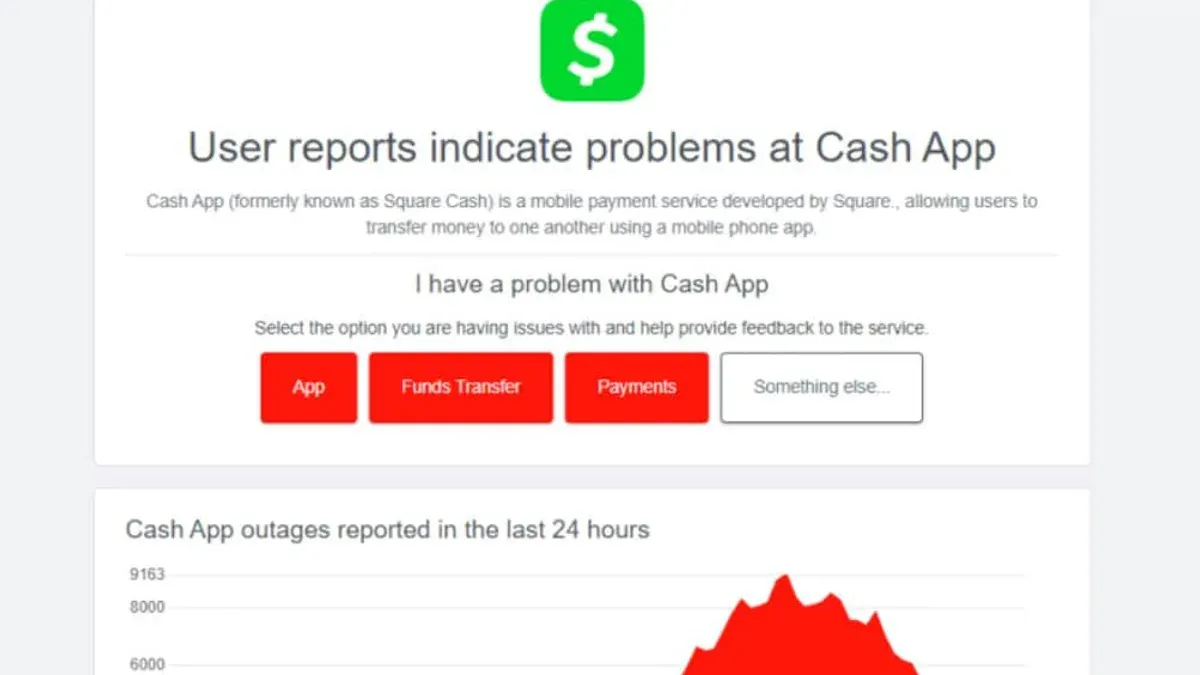
Check Cash App's official status page at status.cash.app to see if there are current outages or service disruptions. This page provides real-time updates on transaction processing, login services, and card functionality. You can also look up reports on third-party outage tracking sites, which often reflect user experiences in real time.
For example, if you suddenly cannot send money or log in, but the status page indicates a known outage affecting many users, it is likely a temporary server-side problem. Historical outages typically last from a few minutes to a few hours. During these times, avoid repeatedly resetting your password or uninstalling the app, as these steps won’t resolve platform-wide issues.
If no outages are reported but you still cannot access your account, follow troubleshooting steps like clearing app cache, updating to the latest app version, or restarting your device. Contact Cash App support only if these steps fail, to avoid overwhelming their help channels during widespread disruptions.
Remaining patient and informed reduces the risk of misinterpreting a service outage as an account hack, helping you respond more effectively when problems arise.
- How to Protect Your Binance Account from Hacks and Login Issues
- How to Protect and Recover Your Bybit Account from Hacks
- How to Protect Yourself if Your Apple Pay Account Is Hacked
- What to Do If Your Best Buy Account Is Hacked: A 2026 Guide
Frequently asked questions
Can my cash app get hacked?
Yes, your Cash App account can be hacked if security precautions are not followed. Hackers often gain access through phishing scams, weak passwords, or compromised linked email or phone accounts. Enabling two-factor authentication and monitoring account activity regularly can significantly reduce the risk.
What happened to cash app?
Cash App occasionally experiences technical issues or outages, which can disrupt sending or receiving money temporarily. These interruptions are typically resolved by the company quickly, and users are advised to check official status pages or social media for updates during such events.
What is wrong with cash app?
Users sometimes report problems such as delayed transactions, login difficulties, or unverified accounts. These issues can stem from app updates, network problems, or security flags triggered by unusual activity. Contacting Cash App support and ensuring app updates are installed usually helps resolve these problems.
Is cash app having issues?
If Cash App is having issues, it is often due to server maintenance, high traffic volume, or security checks. You can verify the current status through Cash App’s official Twitter account or status page. Waiting and retrying after some time typically resolves temporary outages.
How to get a cash app account?
To create a Cash App account, download the app from the Apple App Store or Google Play Store. Open the app, enter your email address or phone number, then verify it with a code sent to you. After this, link a bank account or debit card to start sending and receiving money securely.
Limits of this advice
This article does not cover legal advice for financial fraud or guarantee recovery in all hacking scenarios. If you experience significant financial loss or identity theft, it is essential to consult with legal professionals or specialized fraud recovery services. Additionally, this guidance assumes you have access to your registered email or phone number linked to your Cash App account; if those are compromised, recovery may require direct support intervention and possibly law enforcement involvement.
The single most useful next step is to enable two-factor authentication within Cash App by going to your profile, selecting "Privacy & Security," and activating the additional verification method. This setting greatly reduces the risk of unauthorized access by requiring a verification code each time you log in from a new device, making your account significantly more secure against hacking attempts.