How to See Where You're Logged Into Airbnb and Manage Your Account Access
Discover how to see where you're logged into Airbnb and manage your account access to protect your personal information and bookings.

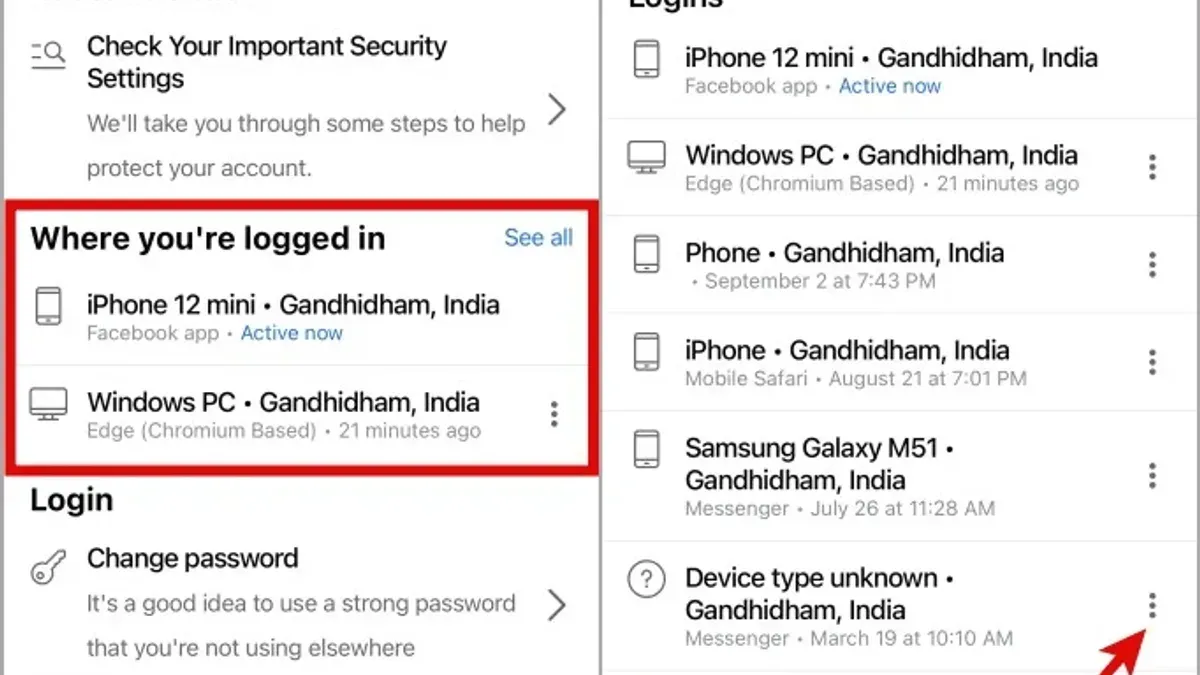
Knowing how to see where you're logged into Airbnb can help you spot unfamiliar devices and locations, allowing you to take prompt action if needed.
You'll also find advice on handling reservations, retrieving account details if you've lost access, and securing your account after identifying suspicious activity.
How to log into my Airbnb account
To access your Airbnb account, start by visiting the Airbnb website or opening the Airbnb app on your device. On the website, click the "Log In" button located at the top right corner of the homepage. In the app, tap the profile icon or "Log In" option on the initial screen.
Airbnb offers several login options: use your registered email address, phone number, or a supported social login such as Facebook, Google, or Apple ID. Enter your chosen credential and the corresponding password or authentication method. For example, if you select email login, type your email, then enter your password when prompted.
Airbnb will ask for your email or phone number to send a reset link or code. Follow the instructions in the message to create a new password.
In these cases, Airbnb suggests waiting before retrying, using backup codes if previously saved, or contacting Airbnb support for account recovery.
For example, if you try logging in with the correct password but are asked for a 2FA code you do not have, check your authenticator app or SMS messages. If unavailable, use backup codes or the "Need help?" option to verify your identity and regain access.
How to see where you’re logged into Airbnb on different devices
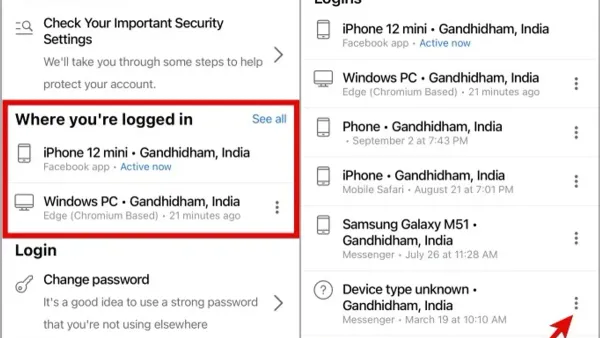
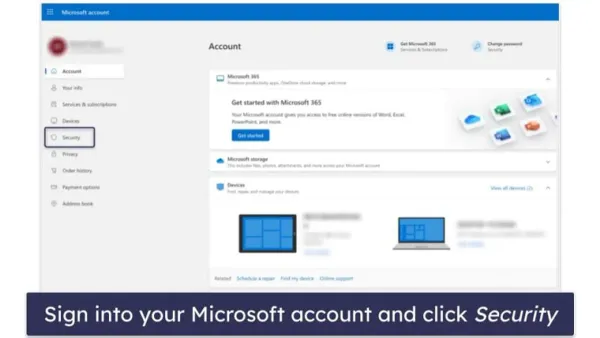
To check where your Airbnb account is currently logged in, start by signing into your account on the Airbnb website or mobile app. Navigate to your profile icon, then select Account Settings. From there, find the Security tab, which lists your active sessions.
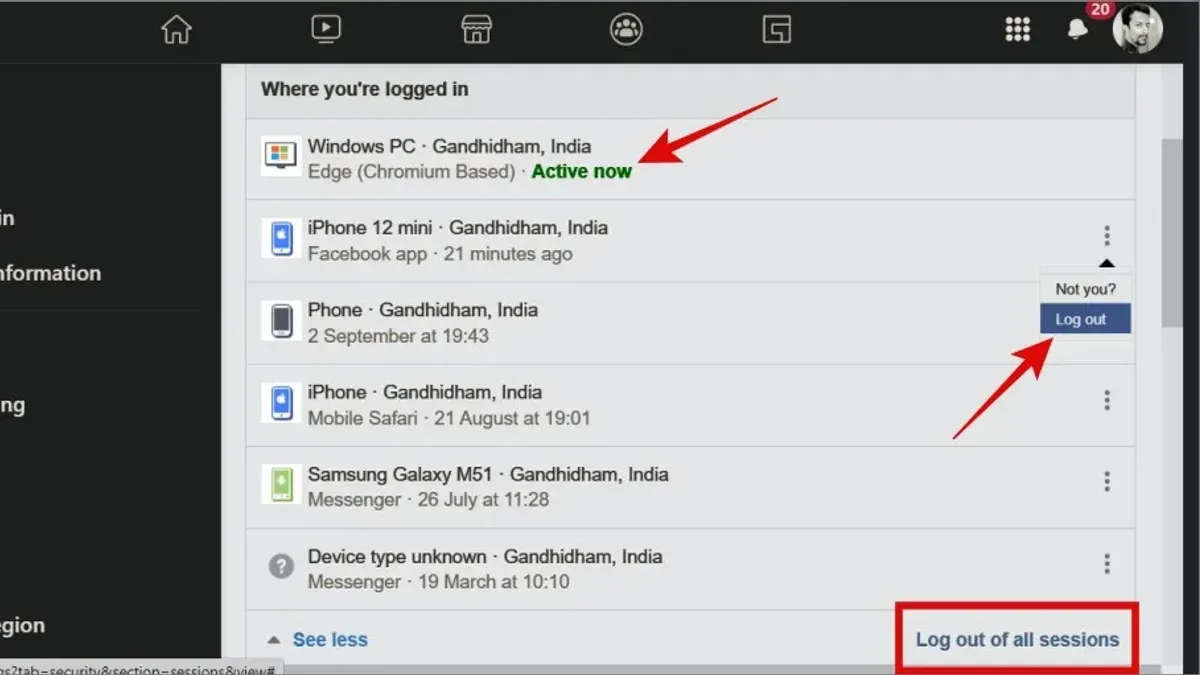
Within the Security section, you will see a table showing each active login session, including device type (such as "Windows PC" or "iPhone"), approximate location inferred from the login IP, and the last active time. Airbnb does not display exact IP addresses or GPS coordinates for privacy reasons.
There are some differences between platforms. On the Airbnb website, the Security tab provides a comprehensive view of all active sessions, allowing you to see device names, locations, and last activity at a glance. The mobile app shows similar information but may limit how many sessions are visible, especially on older app versions or depending on your account type. The menu path on the app is generally Profile > Settings > Security > Active Sessions.
You can remotely log out any unwanted devices by clicking the Log Out button next to that session. For example, if you notice a session from a device you no longer use, such as an old tablet, log it out to protect your account.
| Platform | Menu Path | Session Info Shown | Remote Logout Available |
|---|---|---|---|
| Web (Desktop) | Profile > Account Settings > Security | Device type, approximate location, last active time | Yes |
| Mobile App | Profile > Settings > Security | Device type, approximate location, last active time (may be fewer sessions visible) | Yes |
Checking your active sessions regularly helps you spot unauthorized access quickly. Use the detailed device and location information to confirm recognized devices, then log out any sessions that seem unfamiliar.
How to find your Airbnb reservation details and address
To locate your reservations, log into your Airbnb account and navigate to the “Trips” tab on the website or the “Reservations” section in the app. Here, you will find a list of your upcoming and past bookings organized by date. Selecting a specific trip opens the reservation details including dates, payment info, and host communication.
Airbnb prioritizes guest and host privacy by withholding the exact property address until your booking is confirmed and payment is processed. Before confirmation, listings show only a general neighborhood or city area. Once your booking is complete, the full address becomes visible in the reservation details.
Check-in instructions and host contact information are included in the same reservation page. These instructions typically cover how to access the property, such as key pickup or entry codes, and may include special notes about parking or house rules. For example, a host might write, “Use the lockbox by the front door; the code will be sent to you 24 hours before check-in.”
If you want to review a listing’s location before booking, you can search for the property by name or browse on the map view within Airbnb’s search tool. This shows the approximate location with a pin, but the precise address remains hidden until after you complete the reservation.
How to check into and check out of an Airbnb
Checking into an Airbnb typically begins with reviewing the check-in instructions your host provides through the Airbnb app or messaging. These instructions often include the exact time you can arrive, key collection details, and any access codes needed. For example, a host might specify a keypad code and indicate that check-in is allowed after 3 PM.
To confirm your check-in, you can mark it as completed in the Airbnb app or send a message to your host. This helps both parties keep track of your stay and can be useful if any issues arise.
If the check-in instructions are unclear or missing, contact the host directly through Airbnb messaging before your arrival. This ensures you have the correct information and avoids delays or confusion at the property.
When checking out, follow the host’s guidelines, which often include specific times (such as before 11 AM) and instructions like returning keys to a lockbox or leaving them inside the property. Properly checking out helps finalize your stay and allows the host to prepare the space for the next guest.
However, it does not track your physical arrival or departure beyond these dates.
For example, if your host instructs you to leave keys in a lockbox and take out the trash before 11 AM on checkout day, following these steps completes your stay as expected and maintains good guest-host relations.
How to find your Airbnb account if you’ve lost access or forgotten details
Airbnb allows multiple accounts per email or phone, so check your inbox for any past booking confirmations or notifications that could reveal the correct login details.
Use Airbnb’s Forgot password feature on the login page by entering your email or phone number. Airbnb will send instructions to reset your password if the account exists. If you do not receive an email, double-check for typos or try another email or phone number you might have used.
If two-factor authentication (2FA) is causing login issues, and you’ve lost access to your authentication method, Airbnb’s recovery process includes options to use backup codes or request support. Entering an incorrect 2FA code repeatedly may temporarily lock your account for security.
For example, imagine you remember using your phone number but forgot the password. After requesting a password reset link, you do not receive it. You try with a secondary email and get the link immediately. Using this, you reset the password and regain access. If this fails, contacting Airbnb support through the Help Center or via phone is necessary.
Provide as much information as possible, including past reservation details and payment methods, to aid verification.
What information Airbnb shows about who lives at an Airbnb and privacy limits
Before you confirm a booking, Airbnb does not reveal the full property address. This prevents unauthorized visitors and protects hosts’ privacy until a reservation is secured.
After booking confirmation, you gain access to the precise address and check-in details. Until then, you see only the general neighborhood or city location in the listing. Hosts typically display some personal profile information such as their first name, profile photo, and verified status, but not their full contact details.
Guests also share limited information with hosts, including profile name and photo, verification badges, and sometimes reviews from previous stays. This information helps build trust without exposing sensitive data like exact home addresses or personal contact numbers.
For example, you cannot see past or present guests’ identities, nor does Airbnb provide ownership records publicly. This is part of their privacy policy designed to protect all parties involved.
Airbnb can intervene by verifying identities, mediating disputes, or suspending accounts if necessary. While some details remain private, Airbnb offers tools to report suspicious activity for your security.
How to handle Airbnb login problems and secure your account after seeing active sessions
These often occur due to incorrect credentials, multiple failed attempts, or outdated two-factor authentication codes.
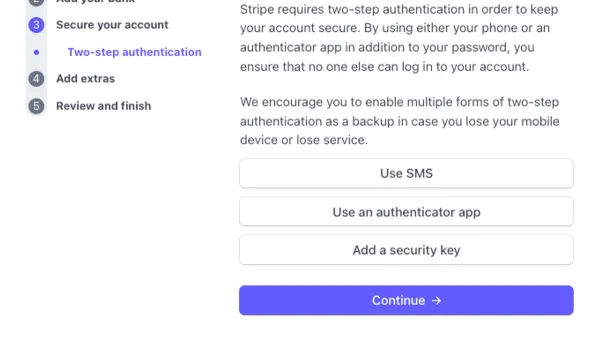
Choose a strong, unique password to replace your old one. Next, enable two-factor authentication (2FA) in your account settings to add an extra layer of protection. Then, from the Security tab, log out all sessions except the device you are currently using to prevent unauthorized access.
If you suspect someone else accessed your account, immediately report this through Airbnb’s Help Center under “Report a security issue.” Provide any suspicious session details you noted. Airbnb’s team can investigate unusual activity and help secure your account further.
Check for new sessions, reservation changes, or messages you did not send. You can undo a password reset by creating a new one, but any logged-out sessions remain disconnected unless they log in again with your credentials.
For example, if you see a login from a device listed as “Windows 10 – New York” that you do not recognize and then find your password no longer works, it likely means someone else accessed your account. Resetting your password, enabling 2FA, and logging out all sessions will block their access and help restore your account’s security.
What this guide on Airbnb login locations does not include and when to get expert assistance
It does not address legal matters such as disputes over bookings, cancellations, or property damages, nor does it cover host-side account management or property ownership issues.
Legal advice should be sought if you encounter contract disputes, privacy violations, or harassment related to your Airbnb use.
For example, if you discover unfamiliar active sessions and have logged them out, but continue to receive suspicious messages or charges, this likely requires professional investigation rather than self-service options within the Airbnb app.
Recognizing these boundaries helps you take the right next steps without delay.
- How to Secure Your Skype Account and Protect Your Microsoft Identity
- How to Secure Your SoFi Account and Protect Your Finances
Frequently asked questions
How to see airbnb address?
You can see the full Airbnb property address only after your booking is confirmed. Before confirmation, Airbnb purposely withholds the exact address to protect the host's privacy. Check your reservation details under your trips or bookings section to find the confirmed address.
How do i find my airbnb account?
To find your Airbnb account, start by visiting the Airbnb login page and use your registered email address or phone number to recover your account. If you’ve forgotten your login details, use the 'Forgot password' or 'Trouble logging in?' options to reset credentials or receive account recovery instructions.
How do i find an airbnb?
Finding an Airbnb involves searching the Airbnb platform using filters like location, dates, and amenities. Use the Airbnb website or app’s search bar and apply your preferences to browse available listings. You can also view host profiles and reviews to ensure the listing meets your needs.
Limitations of this advice and when to seek specialized help
This article does not cover host-specific account management, such as managing listings or handling guest disputes, nor does it address legal issues related to Airbnb stays. If you are a host needing detailed assistance with your property or facing legal concerns, contacting Airbnb support directly or consulting a legal professional is recommended.
To confirm that your account access management was effective, revisit the Security tab in your Airbnb account settings to verify that only recognized devices and locations remain active. Monitor your email for any unusual account activity or login alerts.
If you still encounter unexpected sessions, login errors, or suspect unauthorized access, repeat the logout process for unknown devices, reset your password with a strong new one, and enable two-factor authentication if available. Persistent issues should be reported to Airbnb support promptly for further investigation.