How to Secure and Recover a Truth Social Account After a Hack
This guide explains how to secure and recover a Truth Social account hacked, with clear steps to protect your account and restore access.


This article explains how to secure, recover, and manage a Truth Social account with clear, practical steps tailored to this platform. Users concerned about a Truth Social account hacked scenario will find detailed guidance on setting up accounts securely, recognizing unauthorized access, and restoring control efficiently. It covers the platform's unique account features and common vulnerabilities, enabling informed decisions about its use.
Truth Social requires a verified phone number and email during signup, making initial security settings crucial. The platform's login process can involve multi-factor authentication options, which should be enabled to reduce hacking risks. Understanding these elements helps prevent breaches and quickens recovery if an account is compromised.
What is Truth Social and why does account security matter?
Truth Social is a social media platform designed to provide an alternative space for users seeking a particular mix of free expression and community engagement. Its user base includes individuals interested in conservative viewpoints and those looking for a platform distinct from mainstream social networks. While smaller than major platforms, Truth Social still holds significant influence within its niche audience.
Account security on Truth Social is crucial because social media accounts are frequent targets for hackers. Compromised accounts can lead to privacy breaches where personal messages, contact lists, and sensitive information become exposed. Additionally, hacked accounts can be used to spread misinformation or impersonate the account holder, damaging reputations or misleading followers.
For example, a hacked Truth Social account could be manipulated to post false announcements or controversial statements, causing confusion or harm. This risk is compounded by the platform's user community, where trust and identity are central. Although exact data on Truth Social hacks is limited, social media platforms in general see thousands of account compromises each year, making vigilance essential.
Tip: Regularly review account activity logs in Truth Social settings to spot unauthorized actions early.
How to get a Truth Social account and set it up securely
Begin by downloading the official Truth Social app from the Apple App Store or accessing the website at truthsocial.com. Tap or click the "Sign Up" button to start the registration process. Provide a valid email address, create a username, and enter a strong password. Passwords should be at least 12 characters long, combining uppercase and lowercase letters, numbers, and special characters. Avoid common phrases or easily guessable information.
Next, complete any verification steps Truth Social requires, which typically include confirming the email address via a link sent to the inbox. Depending on the platform’s current policies, additional verification such as phone number confirmation or identity documents might be requested. These measures help prevent fake accounts and provide an extra layer of security.
After account creation, navigate to the "Settings" menu, then "Security and Privacy". Enable all available security features, including two-factor authentication (2FA) if offered. Activating 2FA usually involves linking a mobile authenticator app or receiving SMS codes for each login attempt, drastically reducing the risk of unauthorized access.
Example: A user creates a username like "GreenMountain42", chooses a password such as "P@ssw0rd!23Tree", and enables 2FA via an authenticator app. They confirm their email through the verification link and verify their phone number when prompted. This process secures the account from the outset and minimizes vulnerability to hacking attempts.
Tip: Store backup codes for two-factor authentication in a secure location to avoid lockout if the primary 2FA method is unavailable.
How to log in to Truth Social and common login issues
Accessing a Truth Social account begins by opening the app or visiting the official website and entering the registered email or phone number along with the set password. Users must tap the “Log In” button to proceed. On the app, the login screen appears immediately upon launch if the user is not already signed in.
Common login errors include “Incorrect password” or “User not found,” indicating either mistyped credentials or an unregistered email. A frequent issue that signals credential compromise is receiving unexpected password reset emails or prompts without initiating them. For example, if an email states, “You requested a password reset,” but no such action was taken, this may indicate a hacking attempt.
If locked out with an error like “Account temporarily locked due to multiple failed login attempts,” it suggests either forgotten credentials or someone else trying to breach the account. In this case, waiting 15 minutes before retrying or using the “Forgot Password” feature to reset the password via the registered email is necessary.
Detecting suspicious login activity includes alerts about logins from unrecognized devices or locations. Users should promptly change their password and review account security settings if such notifications appear. Ignoring these signs can lead to further unauthorized access.
Tip: Always verify the sender's email address on password reset messages to avoid falling for phishing attempts that mimic Truth Social communications.
Why might a Truth Social account get hacked?
Truth Social accounts are vulnerable primarily due to weak or reused passwords. Users often recycle passwords from other platforms, which can be exposed in unrelated breaches. Hackers exploit these credentials to gain unauthorized access. Phishing attacks are another common threat, where users receive deceptive messages or emails prompting them to enter login details on fake websites mimicking Truth Social’s interface.

Social engineering tactics also target Truth Social users by manipulating them into sharing sensitive information. For example, a user might receive a direct message claiming to be from Truth Social support, urging immediate password changes due to a supposed security issue. Falling for such scams compromises account security.
Additionally, not enabling two-factor authentication (2FA) significantly increases risk. Without 2FA, a stolen password alone grants full access. Truth Social offers 2FA settings within the account security menu, but many users skip this step, leaving their accounts exposed.
Third-party applications connected to Truth Social can also pose threats if they request excessive permissions or lack strong security practices. Granting such apps access can inadvertently share login credentials or session tokens, facilitating unauthorized entry.
Example: A user reuses a password from a breached email account on Truth Social. After the email breach is made public, hackers try the same credentials on Truth Social and gain control. Without 2FA, the account is easily compromised.
How to recognize if a Truth Social account has been hacked
Signs of a compromised Truth Social account include unusual activity that the user did not initiate. This might show up as posts, replies, or direct messages appearing on the timeline that are inconsistent with the user’s voice or typical content. For example, a user who normally shares political commentary might suddenly have posts promoting unfamiliar products or links to suspicious websites.
Truth Social sends login alerts when new devices or locations access the account. Receiving notifications about logins from unknown devices, especially outside of the user’s usual geographic area, is a key warning sign. These alerts appear in the app’s settings under Security & Privacy > Login Activity, where recent login sessions are listed with timestamps and device details.
Unexpected changes to profile information or account settings also indicate unauthorized access. Changes might include the display name, profile photo, bio, or linked email and phone number being altered without the user’s knowledge. Since these settings affect account recovery options, they can be a tactic hackers use to lock out the original user.
Difficulty accessing the account due to password changes is another clear indicator. If the password no longer works and password reset emails have not been requested by the user, this suggests someone else has taken control. Checking the spam folder for reset notifications and reviewing linked email accounts for unfamiliar activity can provide further evidence.
Example: A user notices a direct message sent to their contacts advertising a cryptocurrency scam, which they did not send. Shortly after, a login alert from a device listed as "Windows PC - Chicago" appears in login activity, but the user lives in California and exclusively uses an iPhone. Then, the profile picture changes to a generic logo without permission. Finally, the user is locked out after the password is changed, confirming the account is hacked.
How to recover and secure a hacked Truth Social account
Start recovery by immediately resetting the account password. Navigate to the Truth Social login page and select "Forgot Password?". Enter the registered email or username to receive a password reset link. Follow the link promptly to create a new, strong password that combines letters, numbers, and symbols. Accounts with two-factor authentication (2FA) enabled generally experience faster and more successful recovery, as the second verification step blocks unauthorized access.
If password reset is unsuccessful or the hacker has changed recovery details, contact Truth Social support via the app’s Help Center or official website. Provide proof of identity and account ownership, such as linked email, phone number, or recent activity details, to expedite support assistance.
After regaining access, review all connected devices and active sessions found under Settings > Security > Account Activity. Revoke any unfamiliar sessions immediately to block persistent threats. Also, check authorized third-party apps and remove those not recognized or no longer in use.
Finally, strengthen account security by enabling two-factor authentication if not already active. Use app-based authenticators rather than SMS for better security. Regularly update the password and monitor login notifications to detect suspicious activity early.
Tip: Always verify password reset emails come from official Truth Social domains to avoid phishing traps.
How to delete a Truth Social account safely
Deleting a Truth Social account permanently removes the profile, posts, and personal data associated with it, but some information may remain in backups or logs for a limited time as per the platform’s data retention policies. Users might choose to delete their account due to security concerns after a hack, dissatisfaction with the service, or to protect their privacy.
To delete an account, open the Truth Social app or website and go to Settings & Privacy. Then select Account and tap Delete Account. The platform will ask for confirmation and may require re-entering the password. Once confirmed, the account enters a deactivation period before permanent deletion, during which the user can reactivate it by logging back in.
For example, if a user’s account was compromised and they fear residual unauthorized access, deleting the account ensures no further activity from that profile. However, posts shared by others or public content may remain visible even after deletion.
Truth Social’s official policy states that account deletion removes personal data from active servers but allows a grace period of several days before complete removal, aligning with backup and security practices. Users should ensure they have saved any important data before initiating deletion, as recovery is not guaranteed after the grace period.
Tip: Confirm all linked third-party apps and revoke their access before deleting the account to prevent lingering permissions.
Does anyone use Truth Social and how many accounts are active?
Truth Social maintains a relatively small but distinct user base compared to mainstream social media platforms. Estimates suggest that the platform has a few million registered accounts, but active users are significantly fewer, likely in the hundreds of thousands. This reflects a niche audience rather than mass adoption.
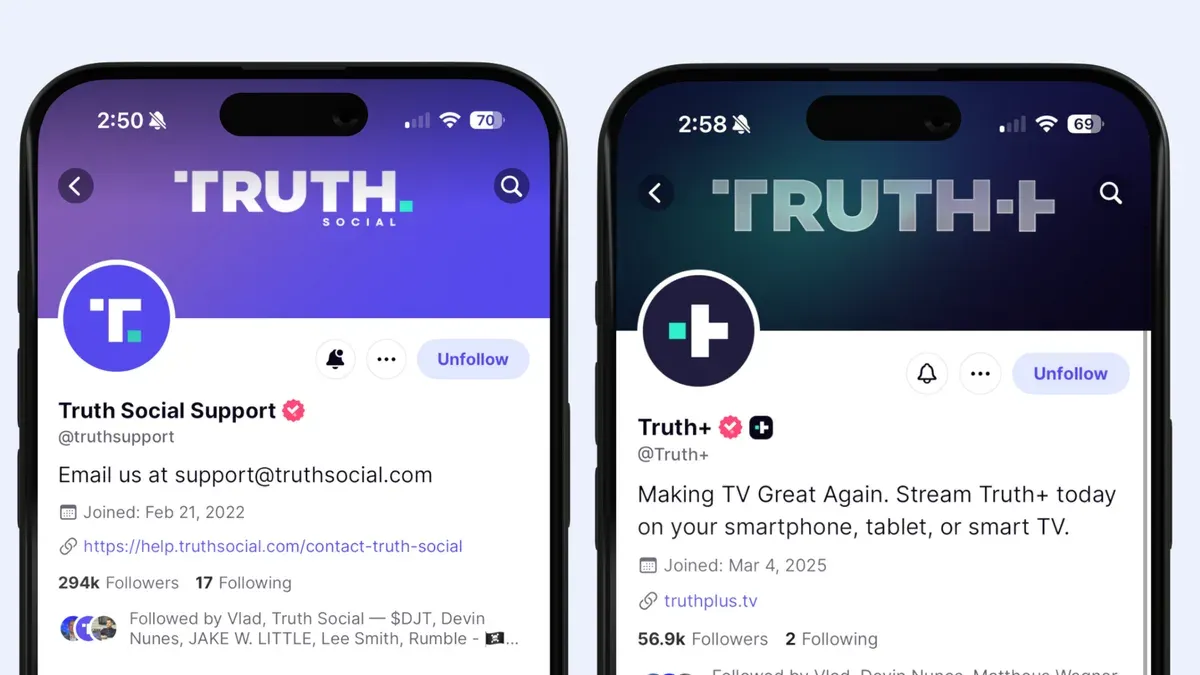
The typical Truth Social user tends to be politically conservative, often seeking alternatives to more prominent platforms like Twitter and Facebook. The demographic skews toward adults aged 30 and older, with many users engaging primarily to follow or participate in politically focused discussions. This contrasts sharply with platforms such as Instagram or TikTok, where younger demographics dominate and entertainment content prevails.
For perspective, a typical active user might log in daily to engage with posts or share their own content, but overall engagement levels are modest when compared with larger networks. Unlike platforms boasting hundreds of millions of daily active users, Truth Social’s active user count and interaction volume remain relatively limited, which can influence content diversity and community dynamics.
Tip: Consider the platform’s user base size and engagement levels when deciding if Truth Social meets the need for reach and interaction.
Frequently asked questions
How to delete truth social account?
To delete a Truth Social account, open the app and go to Settings > Privacy > Delete Account. Follow the prompts to confirm the deletion. Deleting the account removes all data but may take some time to process fully.
How to download truth social?
Truth Social is available for download from the Apple App Store for iOS devices. Search for “Truth Social” and tap the download button. The app is not officially available on Google Play, so Android users must check for alternative trusted sources or use the web version.
How many accounts are on truth social?
Truth Social has a user base in the low millions, but exact active account numbers are not publicly disclosed. The platform is smaller compared to mainstream social networks, focusing on a niche audience.
How to get on truth social website?
Access the Truth Social website by visiting truthsocial.com and signing up or logging in. The site offers basic browsing and posting features similar to the app but may have limited functionality.
Is truth social an app?
Yes, Truth Social is primarily a mobile app designed for iOS devices. It also has a web platform, but users mainly interact through the app for full functionality.
What this advice does not cover and who should do something else
This guide focuses on basic to intermediate steps for securing and recovering a Truth Social account. It does not cover advanced forensic analysis required for highly targeted hacks, nor does it address legal actions following identity theft or data breaches. Users facing sophisticated attacks, persistent unauthorized access, or significant personal data compromise should seek professional cybersecurity services or legal counsel. Additionally, businesses or public figures with elevated security needs might require specialized protection measures beyond standard platform settings.
Taking immediate action to secure access credentials and enable two-factor authentication is the most effective next step after suspecting a hack. This prevents further unauthorized activity and lays the groundwork for recovery. Regularly reviewing account activity and connected devices through the app’s settings can help detect suspicious behavior early. Maintaining vigilance and prompt response reduces damage and helps maintain control over the account.
See also: How to Recover and Secure a Hacked Skype Account · How to Recover and Secure a Rumble Account After a Hack · How to Understand, Protect, and Recover a Proton Mail Account · How to Use Signal Privacy Settings to Secure Your Conversations