How to Change Skrill Password and Manage Your Account Securely
This guide explains how to change your Skrill password securely and manage key account functions to protect your digital wallet.

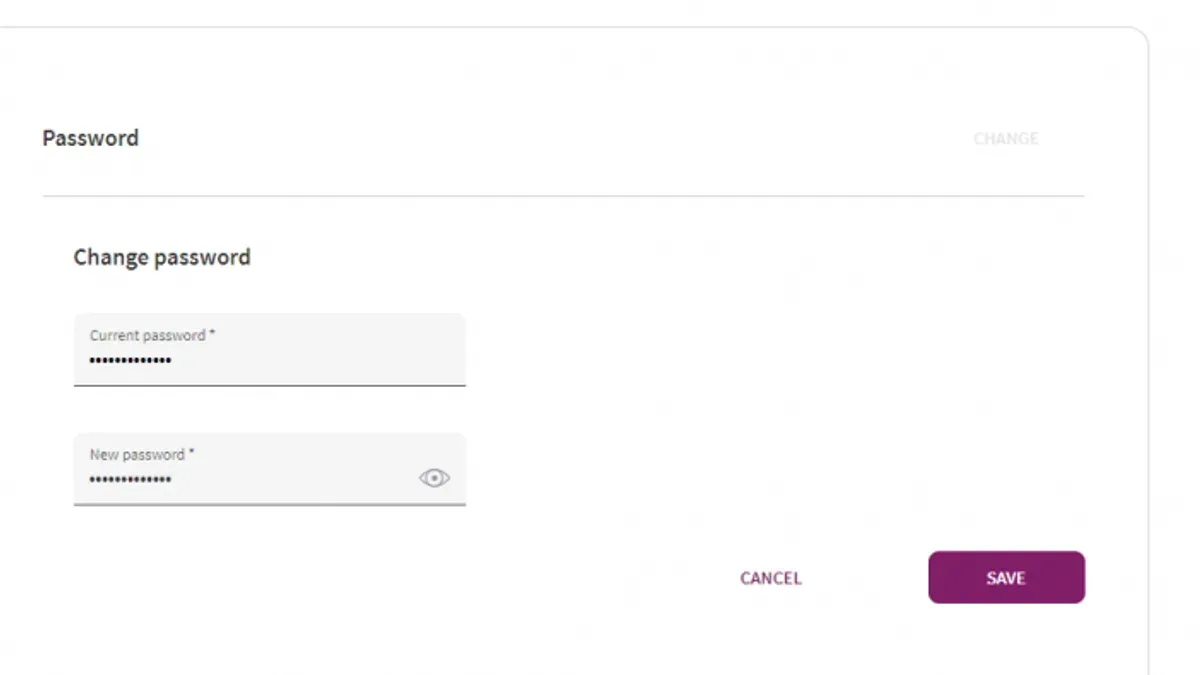
Changing a Skrill password is a straightforward task that helps maintain control over account security. This article details how to change Skrill password and manage essential account functions securely.
How to change Skrill password quickly
The fastest way to update a Skrill password is through the website or official app. After logging in, go to Settings and select the password change option under the security section. Enter the current password, choose a strong new password following Skrill’s requirements, and confirm it. Skrill may require an authentication code sent via email or SMS if two-factor authentication is active. Submit the change and verify by logging in again with the new password.
Detailed steps for changing Skrill password
- Access the Skrill platform at www.skrill.com or open the mobile app.
- Sign in using existing credentials.
- Navigate to Settings and then to Security or Password section.
- Input the current password as requested.
- Create a new password that contains at least 8 characters, mixing uppercase and lowercase letters, numbers, and special characters.
- Re-enter the new password to confirm.
- Complete the process by submitting the request.
- If two-factor authentication is enabled, enter the received authentication code to finalize the update.
- Log out and log back in with the new password to confirm the change was successful.
Ensure the email linked to the account is accessible prior to starting, as confirmation or authentication codes will be sent there. Using a password manager is recommended to generate complex passwords and securely store them.
Managing password changes on shared devices and lost access situations
When using shared or public devices, always log out after completing password changes and avoid saving login details. For lost access to the registered email or forgotten password, use the password reset option on the login page. Skrill sends a reset link to the registered email address. If email access is unavailable, contact Skrill support for verification and recovery assistance.
Accounts managed by third parties or businesses may have restrictions on password changes, requiring administrator approval or support intervention.
Opening a Skrill account and securing it
- Go to the Skrill homepage and select Sign Up.
- Fill in personal information including name, email, date of birth, and country.
- Create a unique username and a secure initial password.
- Submit identification documents as prompted to verify identity and unlock full account features.
- Access the wallet dashboard to manage funds in multiple currencies and perform transactions.
Enabling two-factor authentication during or immediately after registration strengthens account protection from the outset.
Depositing funds into Skrill wallet
Funds can be added by linking a bank account, debit or credit card, or alternative local payment methods. Deposit options appear under the Deposit section after logging in. Select the method, enter the amount, review any fees, and confirm the transaction. Processing times vary: card payments are mostly instant, while bank transfers can take several days. Skrill’s encryption and two-factor authentication help secure deposits.
Using Skrill for payments and bank transfers
Skrill allows payments to merchants or individuals using wallet balance or linked funding sources. Each payment requires confirmation and may invoke two-factor authentication. To transfer money to a bank account, select Withdraw, choose the bank transfer option, enter details, and confirm. Transfers typically take 2 to 5 business days and incur a small fee. Instant transfers to other Skrill users are faster and cheaper.
Understanding Skrill authentication code
The authentication code is a time-sensitive verification step used in two-factor authentication. It can be generated by an authenticator app or sent via SMS. This additional layer of security is required during login and sensitive account changes like password updates. Setting it up involves enabling 2FA in the Security settings. Lost authentication codes can be recovered using backup codes or by contacting support.
Resolving issues with password changes
If the password is forgotten, use the reset link available on the login page. Check spam or junk folders if emails do not arrive. Account lockouts after multiple failed attempts require waiting or following emailed instructions to regain access. Persistent problems should be directed to Skrill support, providing relevant details for assistance.
Choosing the right approach
For routine password updates, the website or app method is efficient and secure. Users without access to their email or authentication codes should prioritize account recovery through support. Those using shared devices must exercise caution and log out fully. New users should secure accounts with strong passwords and two-factor authentication from the start.
Frequently asked questions
What is Skrill account?
A Skrill account is an online wallet that enables sending, receiving, and storing money digitally. It supports multiple currencies and offers services like online payments, international transfers, and prepaid cards, accessible via web and mobile platforms.
How to open Skrill account
Visit Skrill’s website and select the registration option. Provide personal details, create login credentials, and verify identity by submitting required documents. Completing these steps activates the account for full use.
How to deposit money into Skrill account
Log in and choose the deposit section. Pick a payment method such as bank transfer or card, enter the amount, and follow prompts to complete the deposit. Processing times and fees vary by method.
How to pay using Skrill
Payments can be made to merchants or other users using the wallet balance or linked funding sources. Each transaction requires confirmation and may include two-factor authentication for security.
What is Skrill authentication code
The Skrill authentication code is a temporary security code used as part of two-factor authentication. It helps prevent unauthorized access and is generated by an app or sent via SMS during login and sensitive actions.
See also: How to Change E*TRADE Password: Step-by-Step Guide · How to Recognize, Secure, and Manage a Hacked Grindr Account · How to Change Your Call of Duty Password and Account Details Safely